INVITE: Building a Better Invitation System
 Paris D Hunter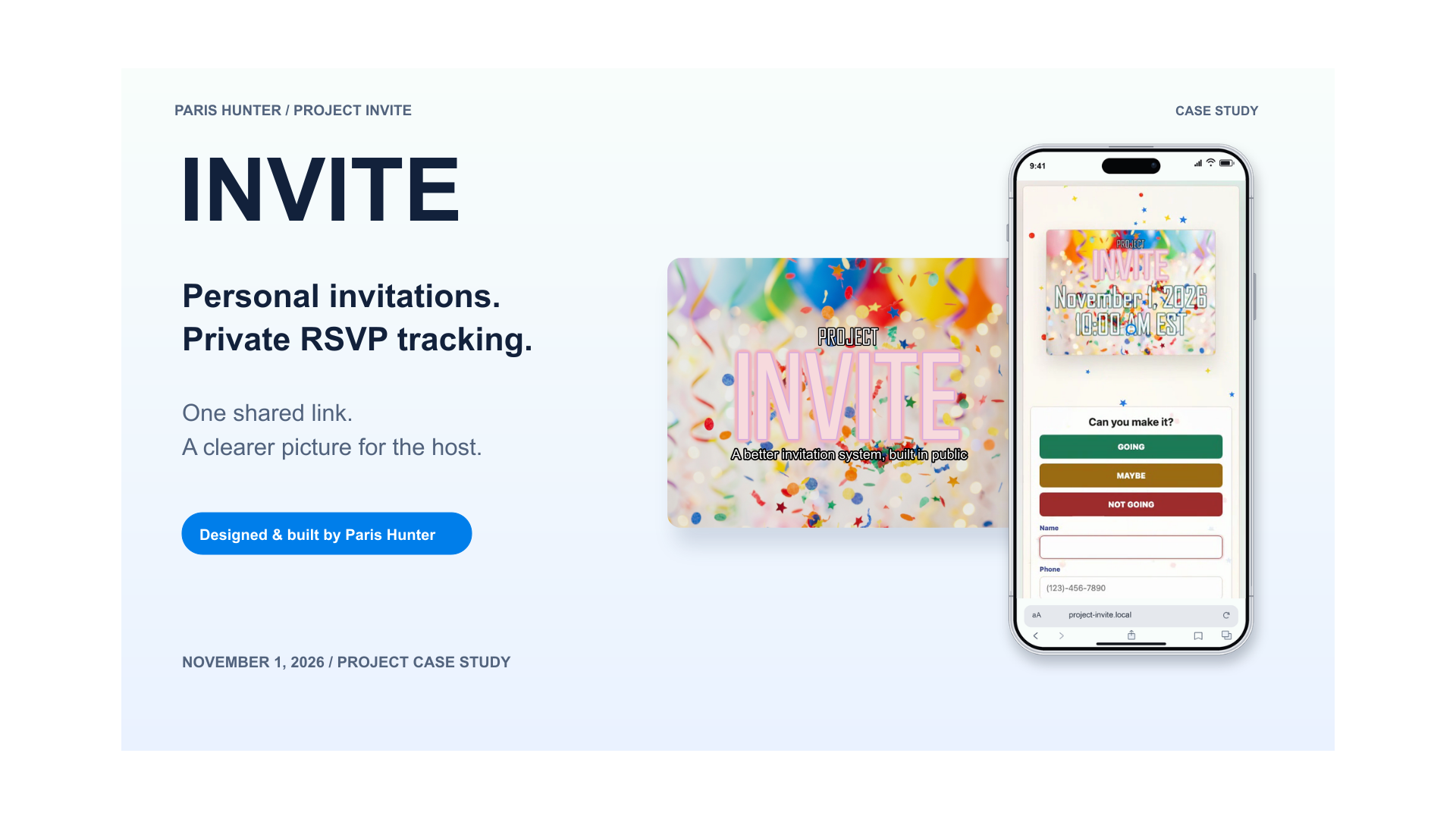
A few months ago, my sister asked if I knew a good tool for managing party invitations. She wanted to invite people without managing 50 individual text threads, phone calls, and emails at all hours of the night.
I wholeheartedly agreed. Planning the party was already enough work. Keeping track of who was coming should have been the easy part.
I initially recommended Apple Invites. When she tried it with the people she wanted to invite, the response process introduced more steps than she wanted to explain to her guests. For this guest list and this workflow, that added friction was a problem.
I had been using AI to help build tools for problems I encountered throughout 2026. This felt like another problem worth solving: one event link she could send to anyone, an invitation that felt personal, and a private place to check the replies.
That became Project INVITE.
Solution
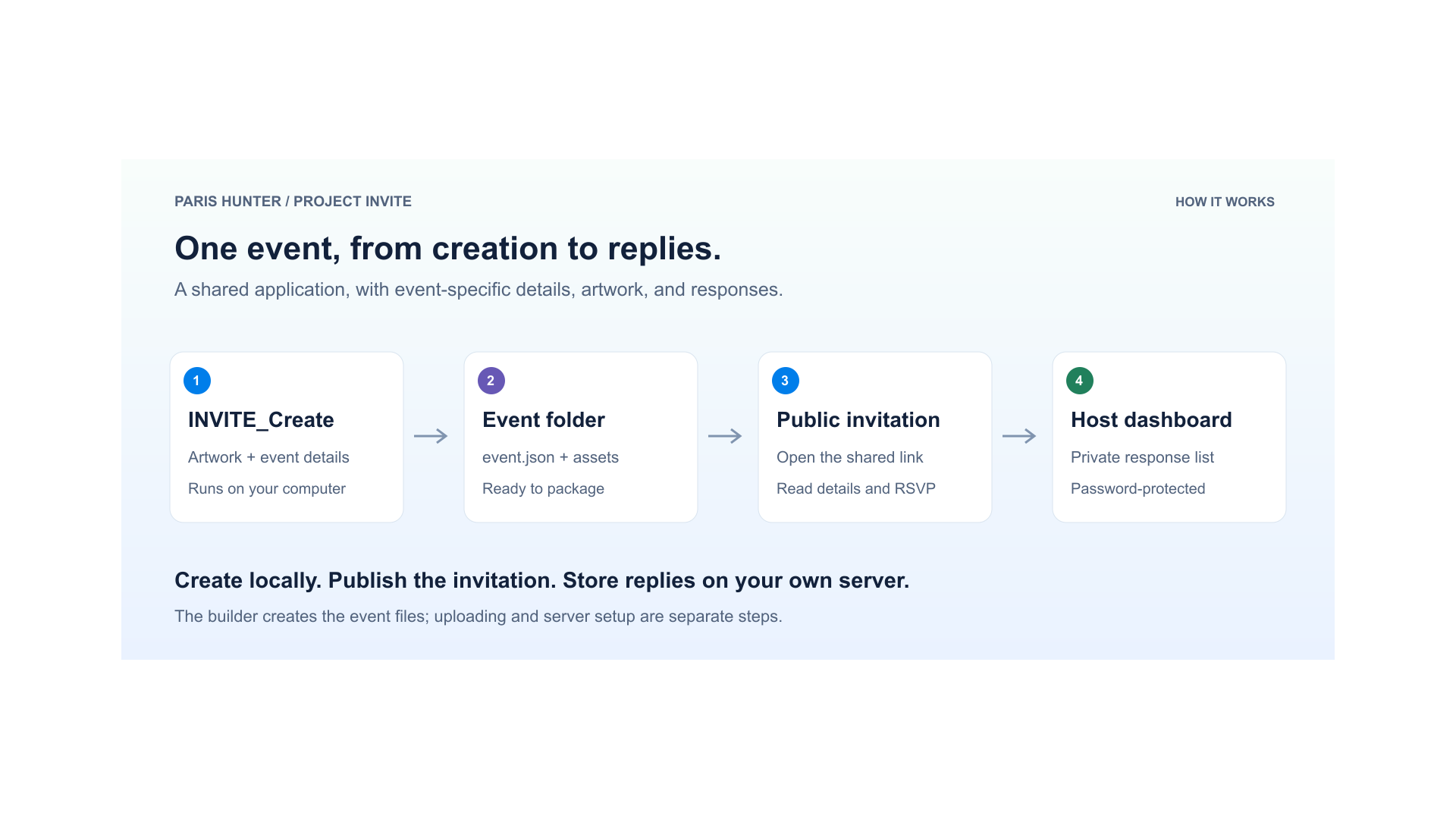
INVITE is a self-hosted invitation system built to run on my own website. Each event gets a unique link, its own artwork and details, and a password-protected RSVP dashboard.
The host shares the link through whatever channel already works for them: a text, an email, or a direct message. The guest opens it in a browser and responds without creating an account.
I kept the sharing step manual on purpose. My sister already knows the people she wants to invite and how she wants to reach them. The useful work for INVITE is presenting the event clearly and collecting the responses in one place.
INVITE needed to be personal on the outside and organized underneath. The guest experience, the host dashboard, and the creation workflow all had to support that idea.
The finished product demo walks through those three parts of the system.
Guest Experience
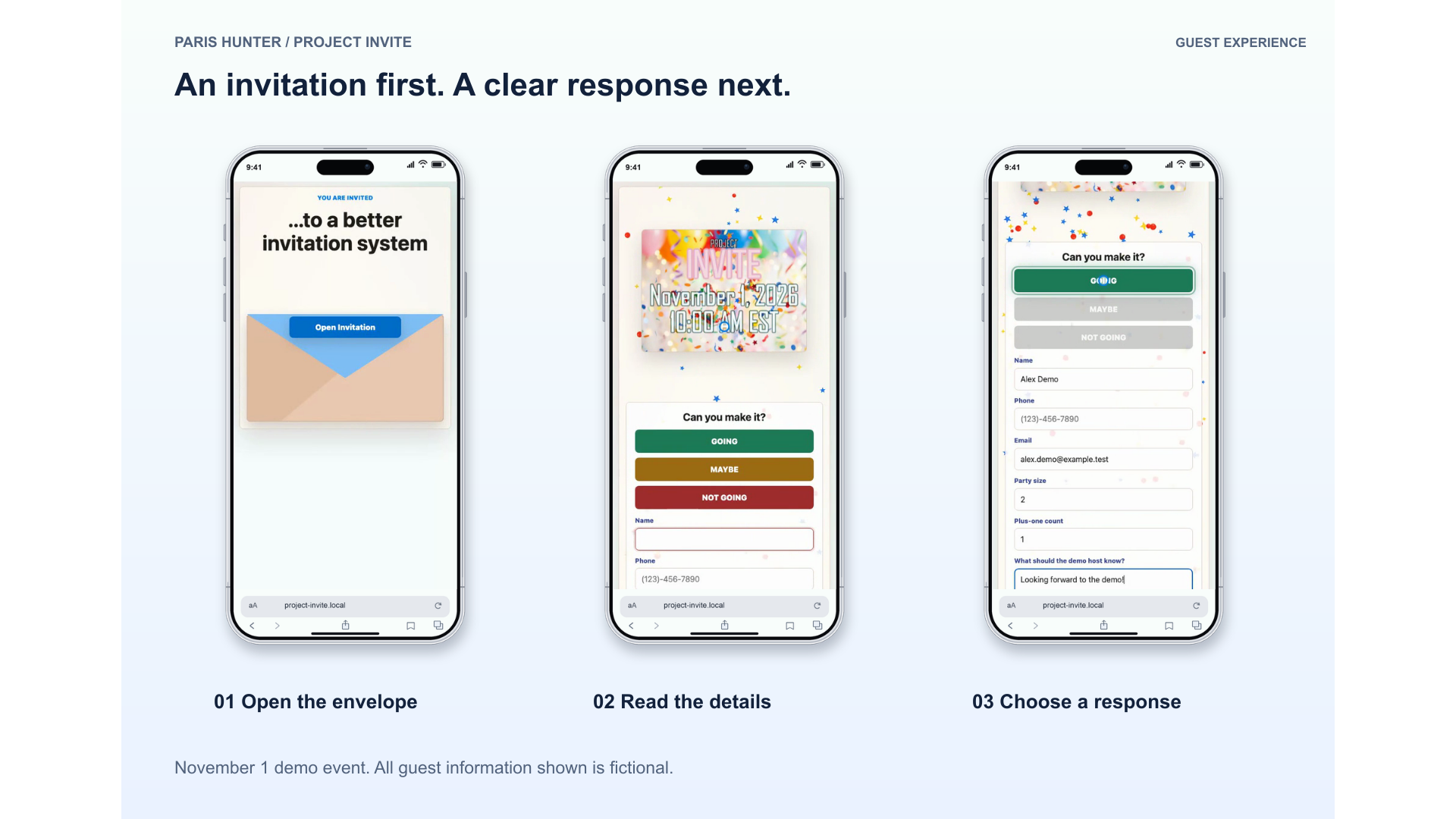
The invitation needed to feel like something the guest was receiving, with a little anticipation before the event details appeared.
Tap the envelope and the flap opens. The card rises out, flips to the event details, and confetti falls around it. After the opening sequence, the guest can tap the card again to switch between the front and the back.
The artwork, colors, and confetti can change for each event. A birthday and a holiday dinner can use the same underlying system while looking like they belong to completely different occasions.
Then the interface gets practical. The guest chooses GOING, MAYBE, or NOT GOING, enters a name and the contact information requested for that event, and sends the reply. The selected response is emphasized while the other options gray out, so the choice stays clear.
The host can also enable party size, plus-one count, and a note. Additional event notes and map links sit outside the flipping card so guests can read them without having to keep interacting with the animation.
The dashboard is where the invitation becomes useful for the person planning the event.
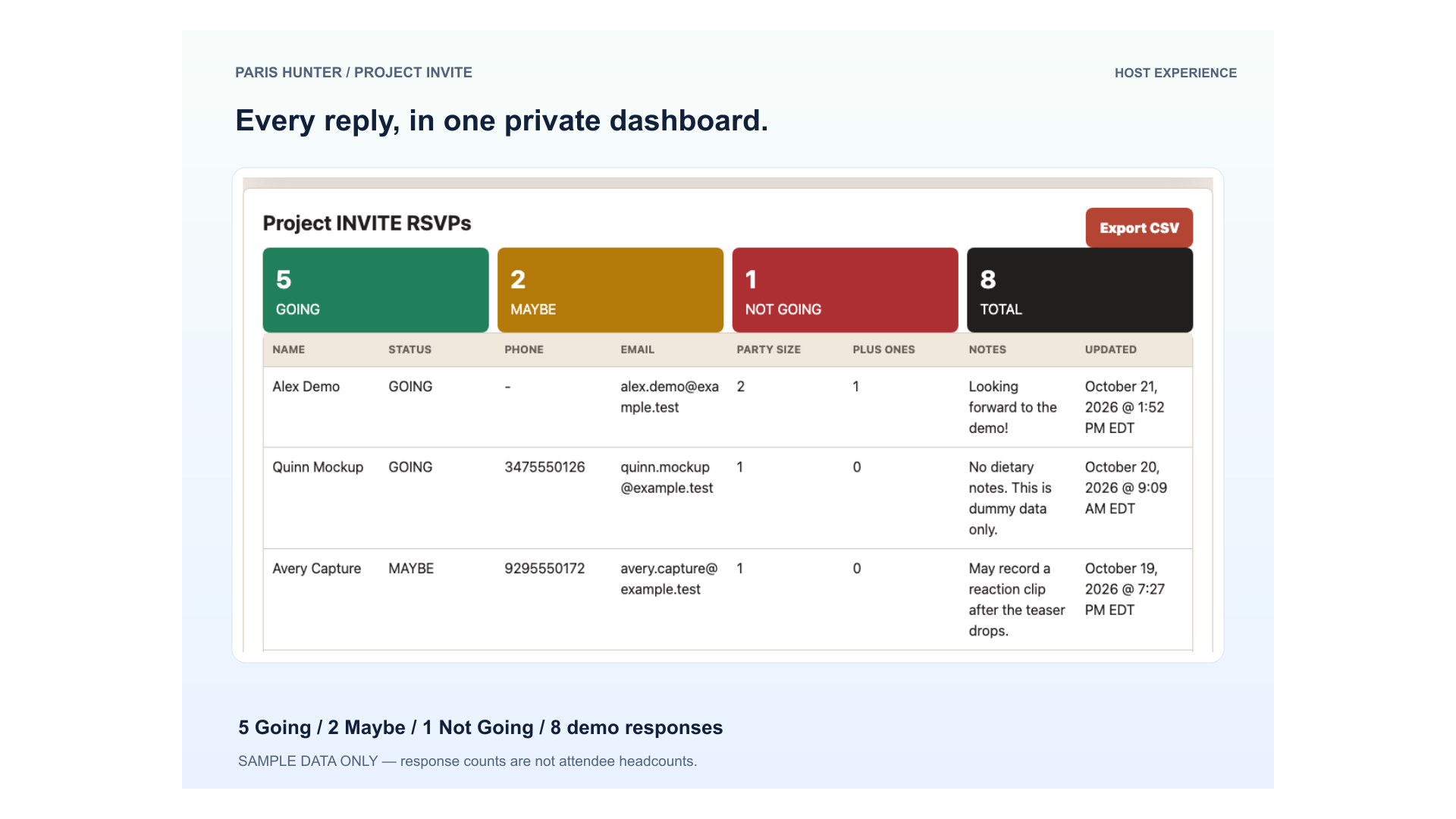
Each event has a private dashboard showing response totals and the individual replies. The host can see who is going, who is undecided, who cannot make it, and any party-size details or notes that were collected. Replies can also be exported as a CSV file for use in a spreadsheet.
A guest can update a response by using the same name and contact information. There is no guest account to recover or separate profile to manage.
I also separated event access from owner access. An event password grants access to that event's dashboard; an owner-wide password supports managing events across the system. The host still enters a password to see replies, even though the guest does not need an account to respond.
The invitation itself can be opened by anyone who has its link. The response list is kept behind the dashboard password. That distinction matters: I wanted direct sharing without making the guest list public.
I built INVITE around the hosting environment I already use. The blog is published with Publii, while the invitation application lives in a separate directory on my Namecheap hosting.
The main pieces are straightforward:
HTML, CSS, and JavaScript handle the invitation, card interaction, and browser experience.
PHP and SQLite receive, update, and store RSVP replies on the server.
An event folder and
event.jsonkeep each event's details, visual settings, artwork, and RSVP options together.Local Python tools provide a browser-based workflow for creating events and generating matching confetti assets.
Giving each event its own folder means creating a new invitation does not require replacing another event's details or artwork. Replies are associated with the relevant event, so two celebrations can coexist without mixing their response lists.
Some interface code is shared, which also means changes to that code need to be checked against existing invitations. Separate event folders solve the organization problem; they do not remove the need to test updates.
Getting one invitation working was only part of the job. I also wanted a reasonable way to create the next one.
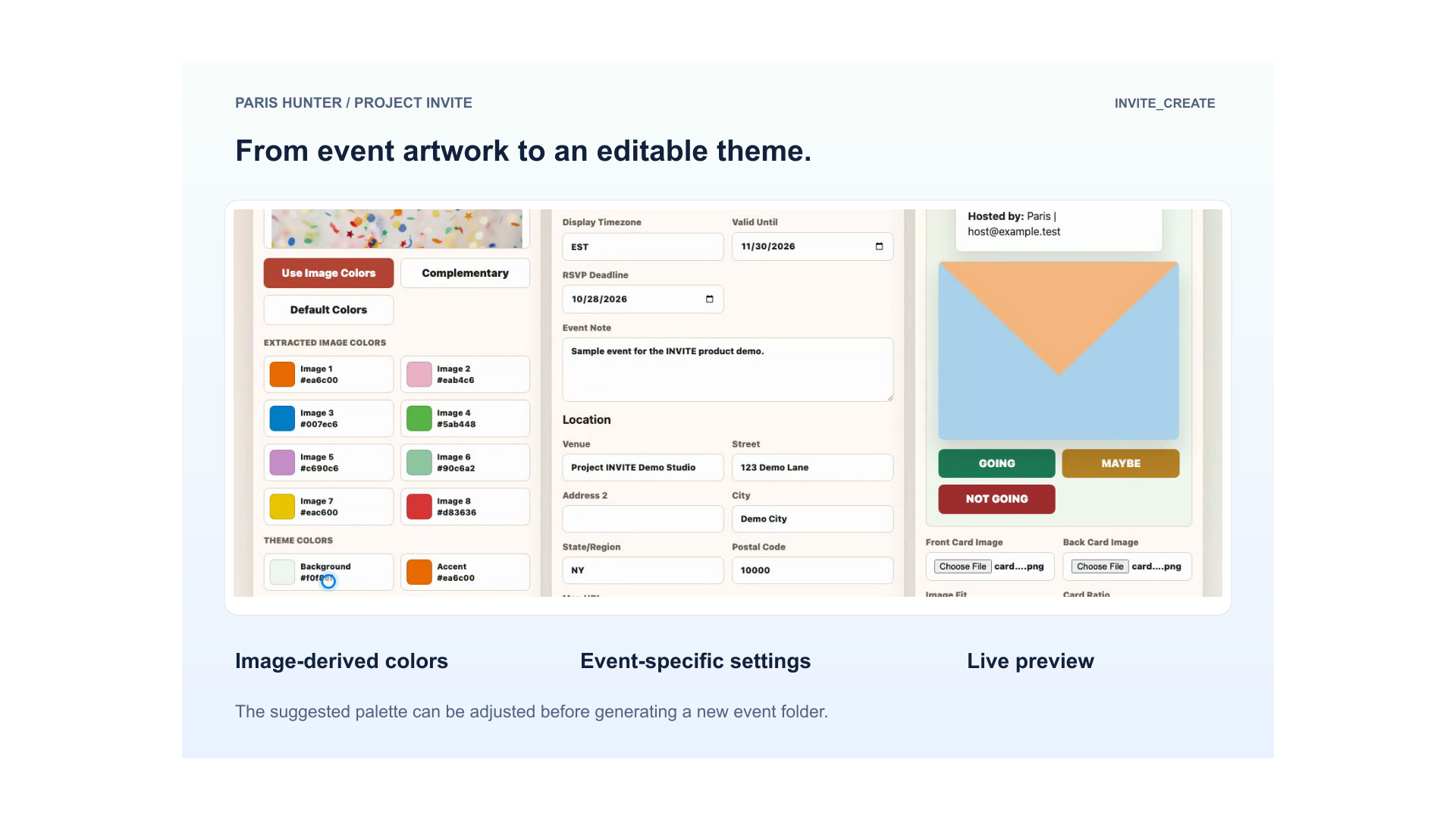
Editing configuration directly gives me control, but it is a tedious starting point for every new event. INVITE_Create turns that setup into a local form with a preview.
I can choose invitation artwork, pull a starting palette from the image, adjust the colors, and enter the event details. I can also choose the front and back card images, contact-field rules, and optional RSVP fields. The builder then generates a separate event folder using the reusable template.
The extracted palette is a starting point. I can still change the colors when the preview needs better contrast or a different balance.
There is also a separate Confetti Builder for creating matching SVG particles. That lets the moving pieces belong to the event's design along with the artwork and page colors.
The output still goes through the normal hosting and setup process. The local builder makes the creation step more approachable; it does not publish the event automatically.
A request from my sister became a working invitation system with a guest experience, private response tracking, and a local toolkit for creating more events.
The public demo follows the flow from opening an invitation to submitting a reply, checking the dashboard, and creating another event. It uses the November 1, 2026 Project INVITE demo and fictional guest data throughout. I also finished the product video with my own narration, music, and final editing.
The person planning the event defines the problem. My first recommendation looked reasonable until my sister tried it with her actual guest list. That experience did more to clarify the requirements than adding another feature would have.
The moment and the follow-through both matter. I spent time on the envelope, card, and confetti because I wanted the invitation to feel personal. I also had to make the next steps clear: read the details, choose a response, and send it.
Reuse includes the setup work. A template is helpful, but a local builder makes it easier to turn that template into something specific. That lesson applies to more than invitations.
AI helped me implement and refine the project. I still had to decide what the product should do, check the interactions, and keep revisiting the original need. Writing the build story helped make those decisions explicit.
What Comes Next
I want to keep refining the creation workflow and the experience across devices as I use the system for more events. Areas worth exploring include stronger palette-contrast checks and clearer versioning for older invitations as the shared interface evolves.
If there is interest in a broader service or software offering, that is something I can evaluate from here. For now, the priority is making the system useful and repeatable.
Like and , INVITE started with a specific workflow I wanted to improve. This time, the workflow happened to involve a party.