From Risky Manual Screenshots to Patient-Safe Proof: Building SNAPSHOT with Artificial Intelligence
 Paris D Hunter
Table of Contents
- Brief/Challenge
- Business Context
- Solution
- Addressing the Top 3 Pain Points
- Project by the Numbers
- Top 8 MVP Features
- Feature #1 - Email/password-only workflow
- Feature #2 - Dark branded GUI with logo assets
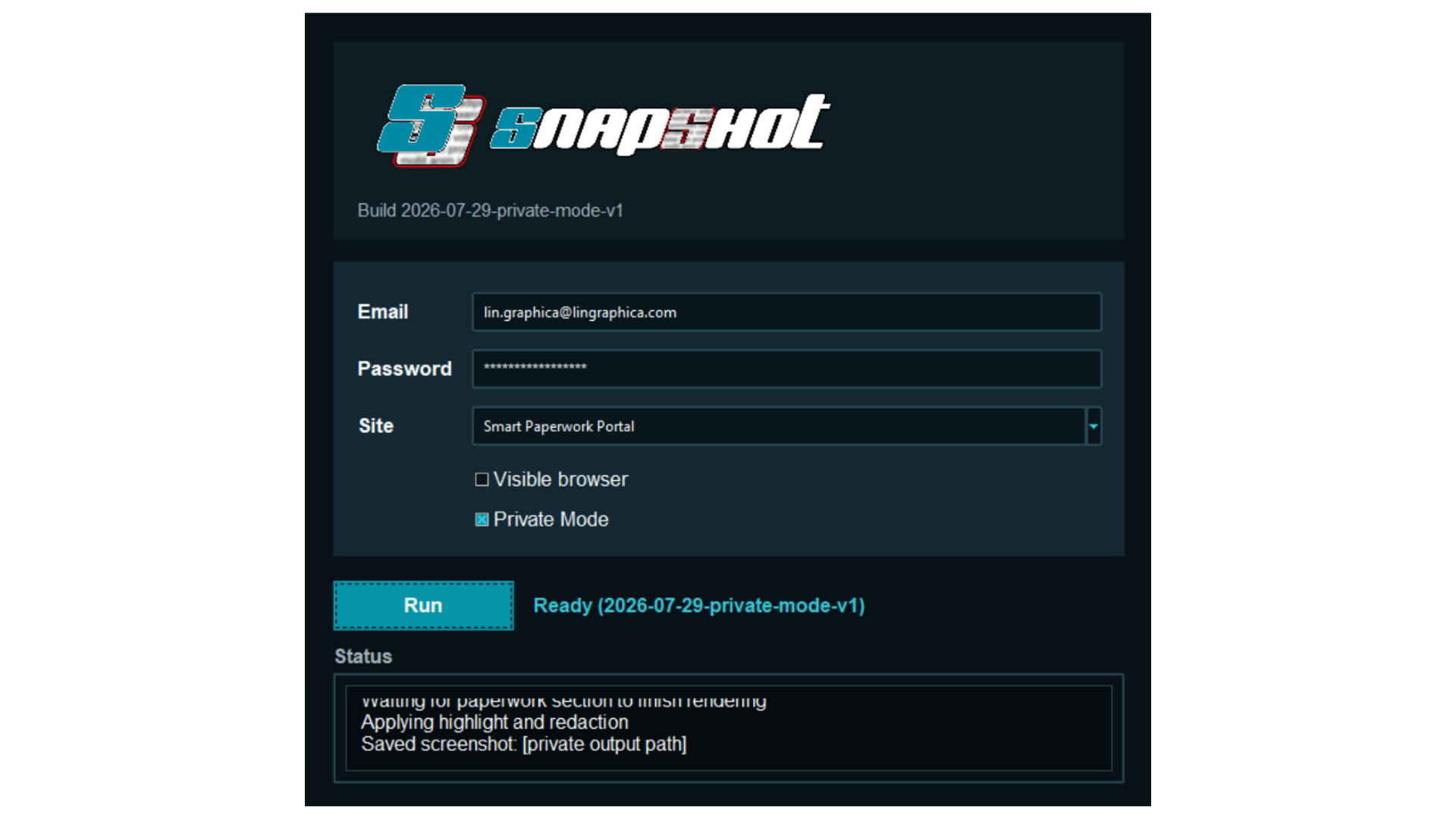
- Feature #3 - Private Mode for screen recordings
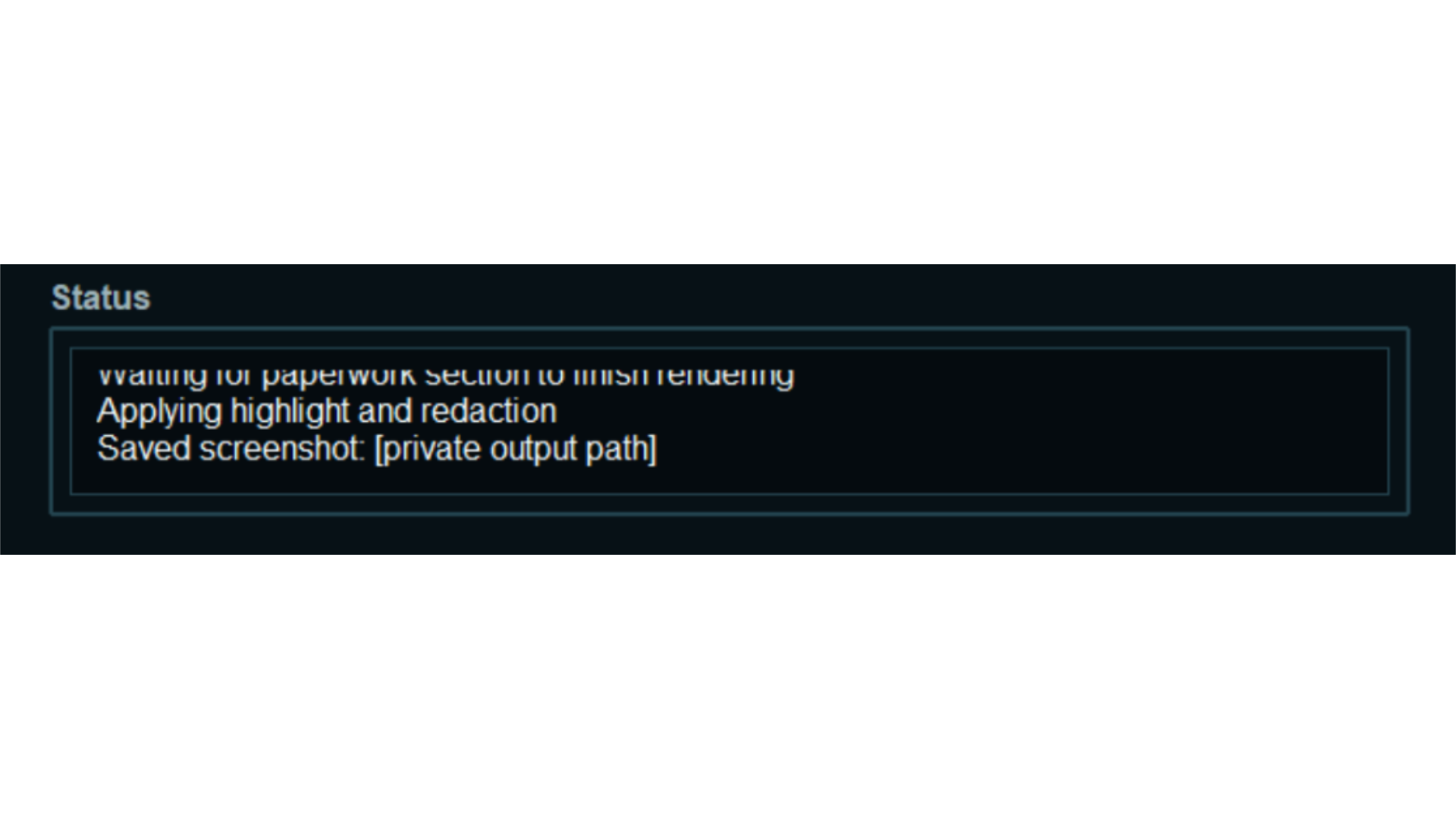
- Feature #4 - Cross-platform testing launchers
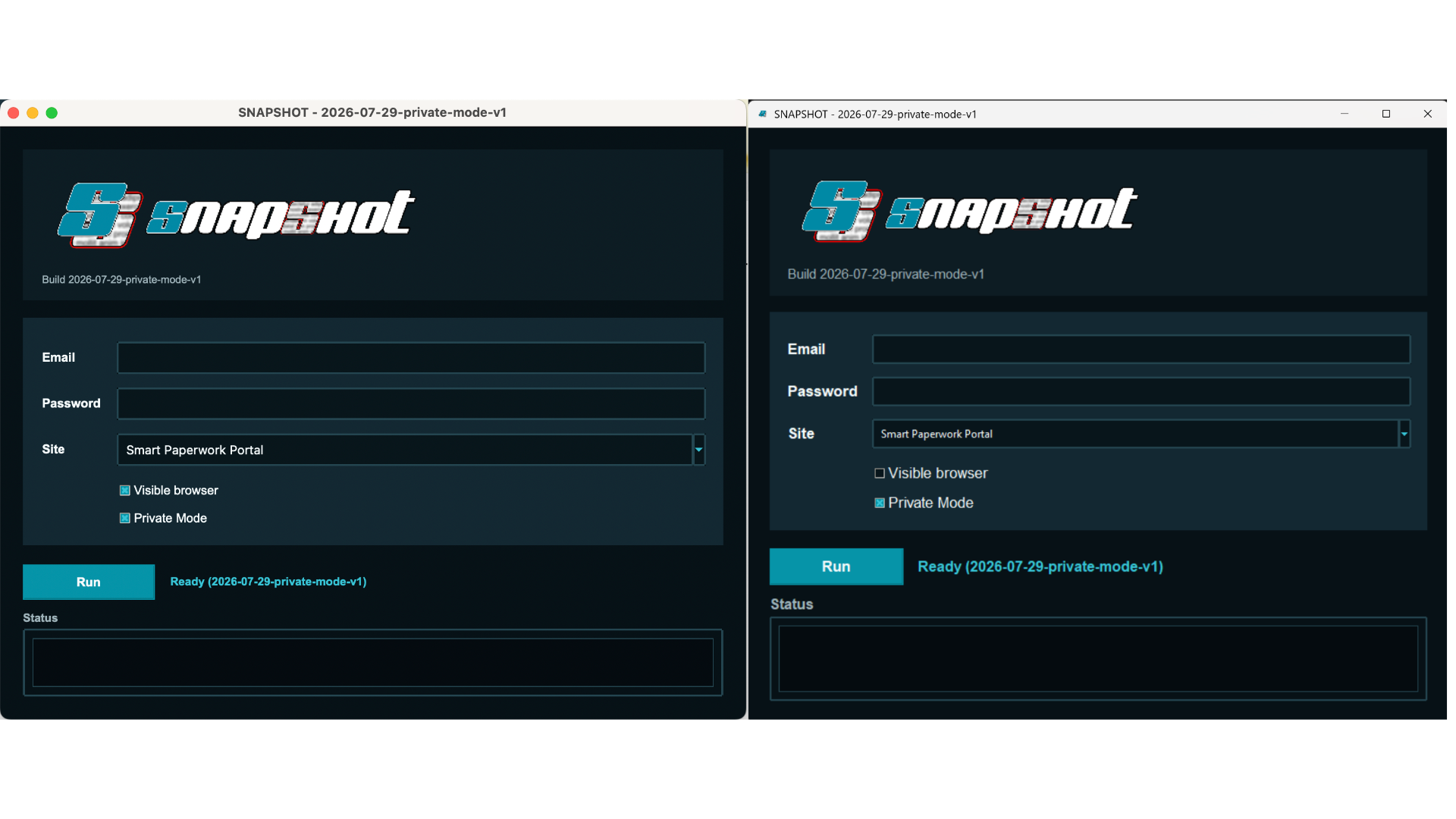
- Feature #5 - Modular site-profile model
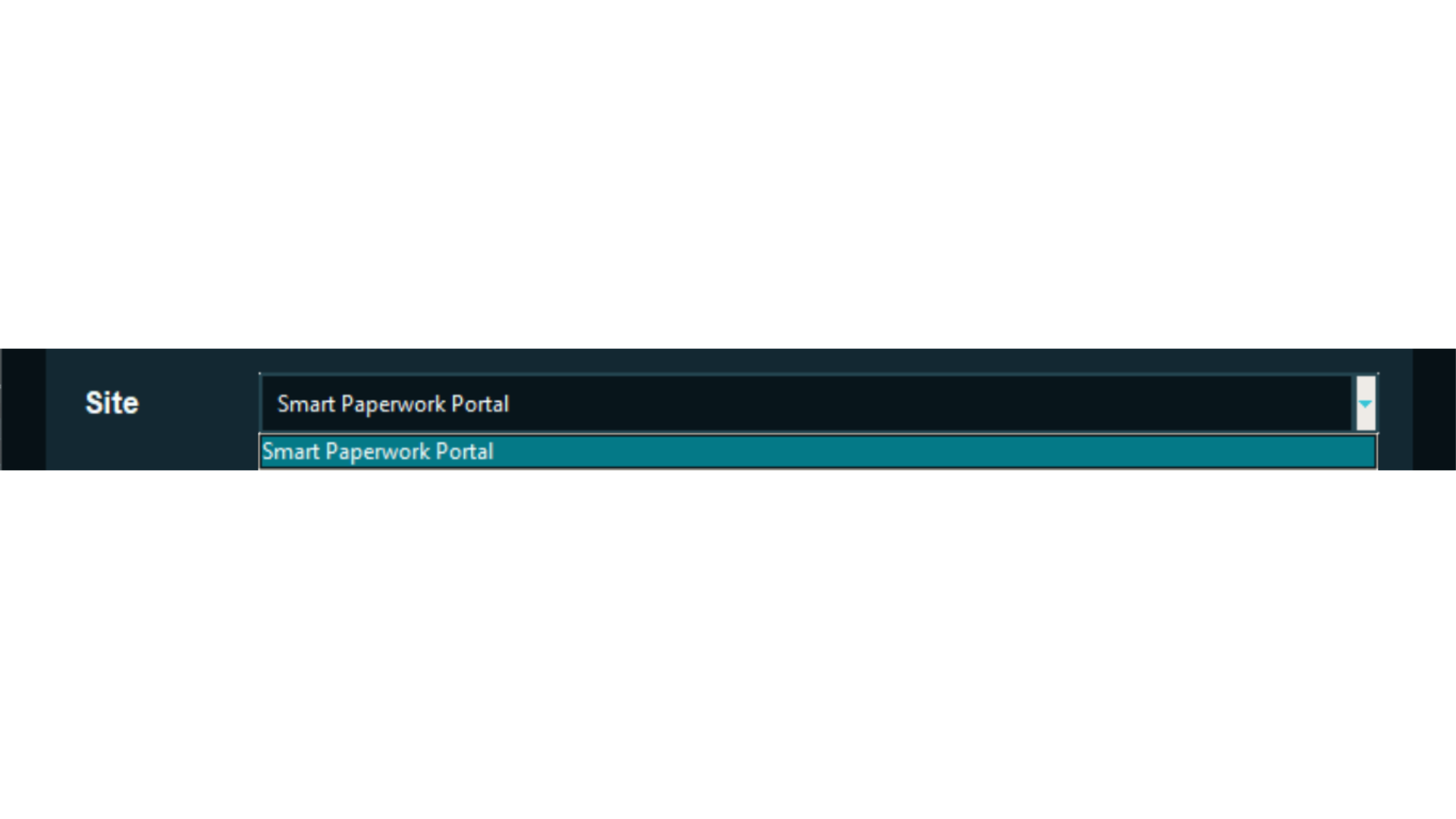
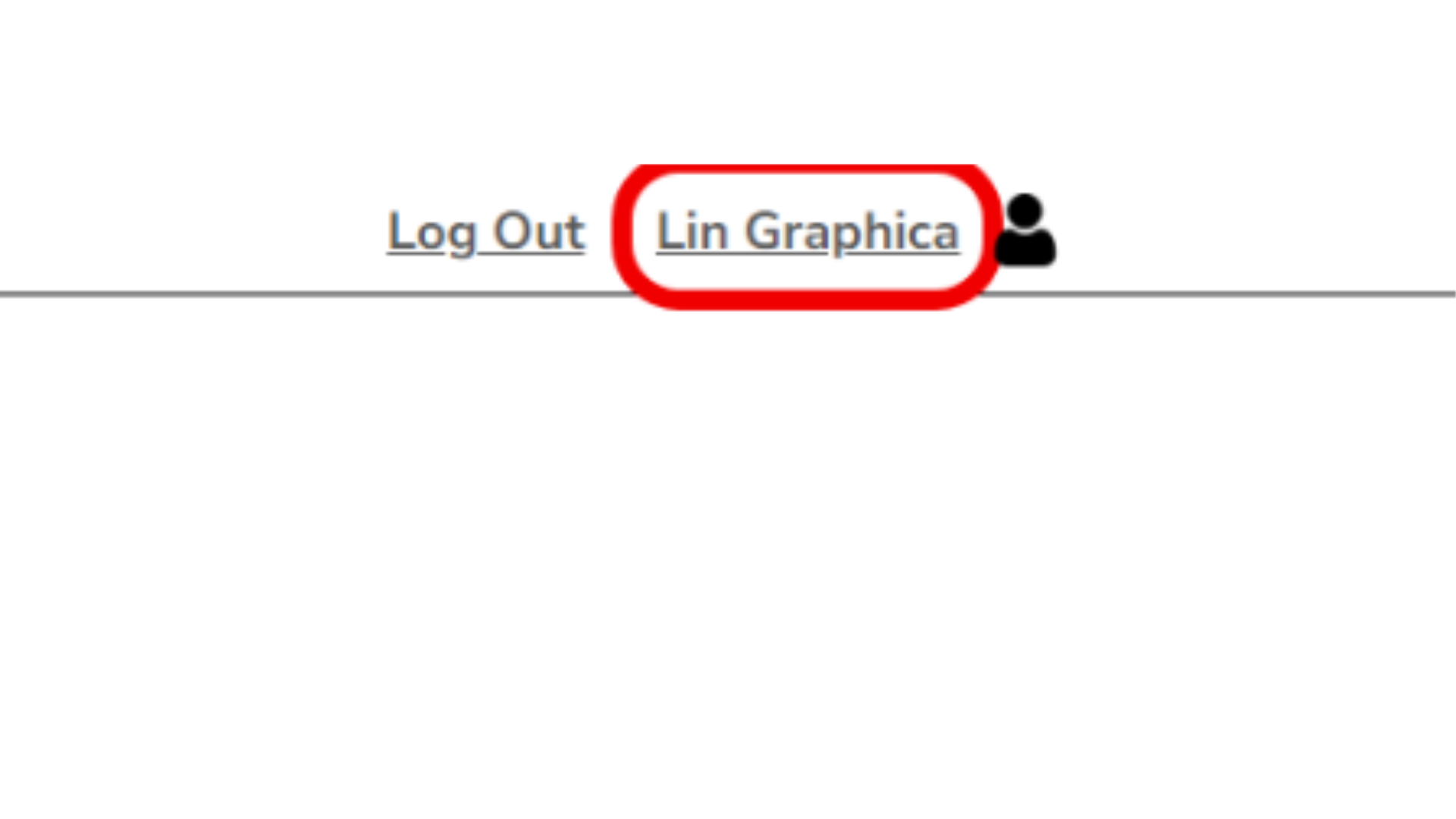
- Feature #6 - Red account-name highlight
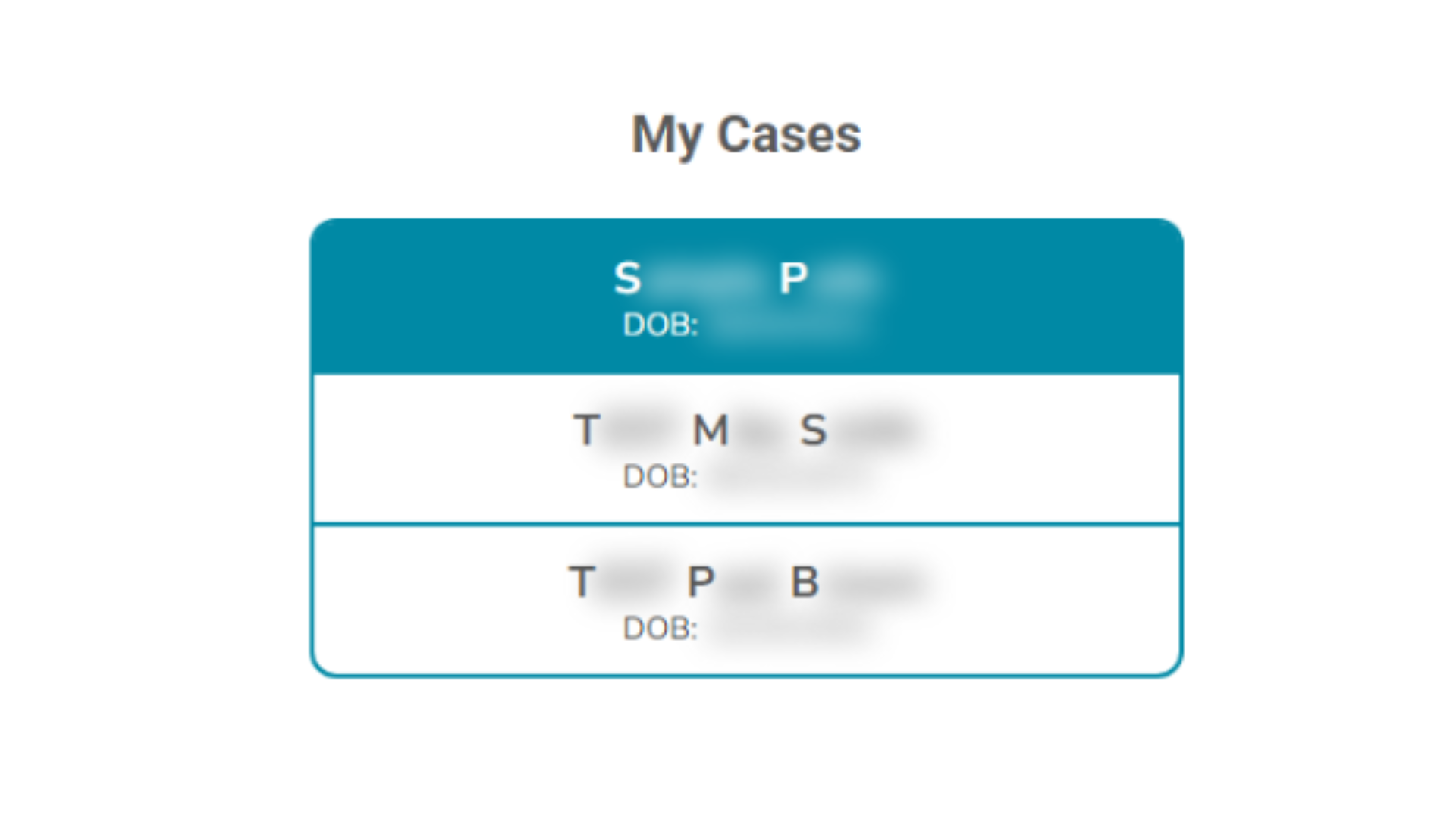
- Feature #7 - Patient/client redaction rules
- Feature #8 - Deterministic export and diagnostic screenshots
- Technical Architecture
- Outcome
Project SNAPSHOT is a privacy-safe screenshot automation tool for account-support evidence in a Smart Paperwork-style portal workflow.
I used to manually log into accounts, capture a screenshot, and blur out sensitive data to use the screenshot as a reference to let the end user that their credentials work. Now, SNAPSHOT automates that giving me back time in my day.
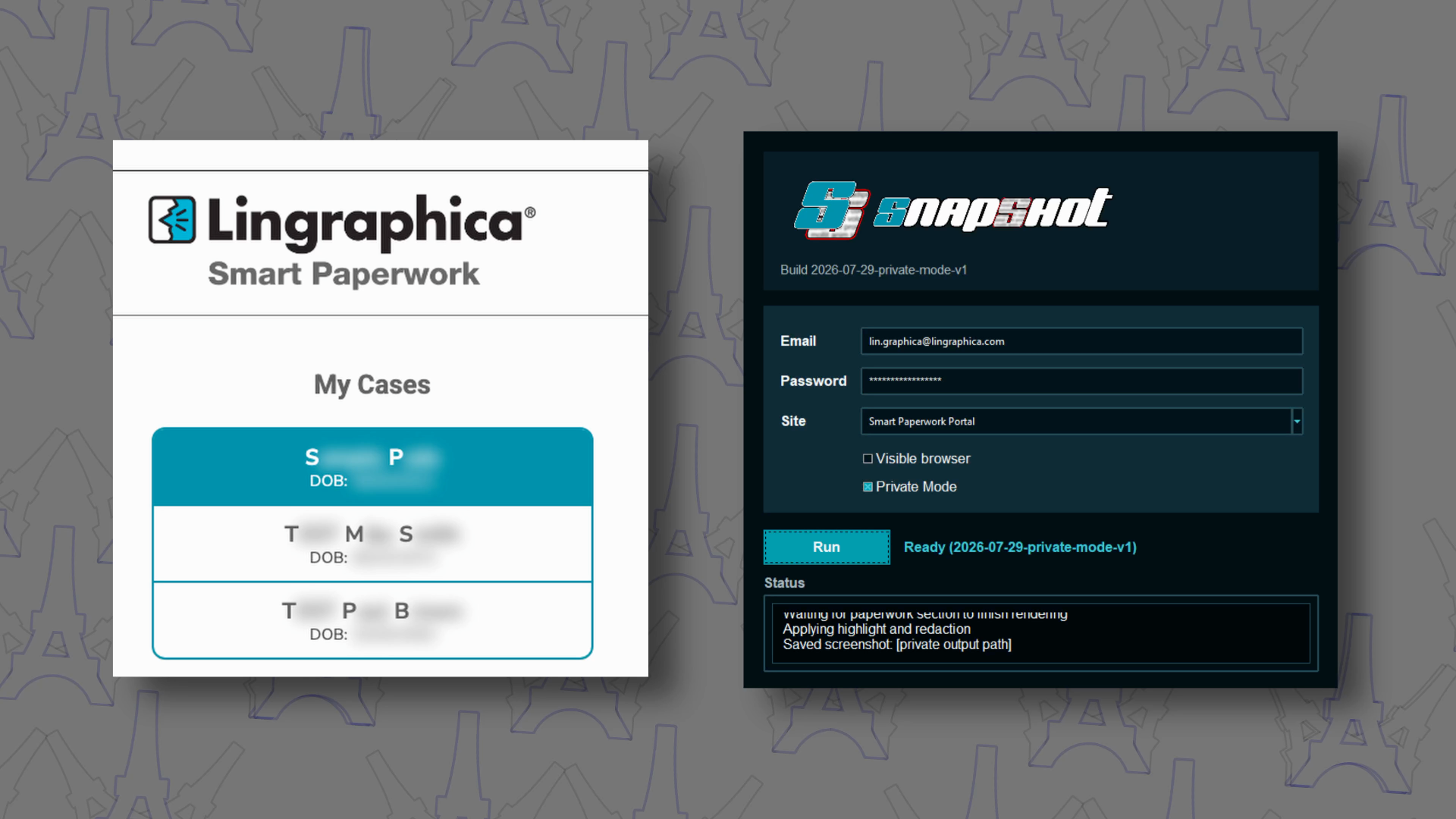
SNAPSHOT turns that fragile step into a repeatable run. The operator enters only an email and password, chooses the current portal profile, and the app handles browser launch, sign-in, page readiness, client selection, markup, redaction, and PNG export.
Business Context
Account issues slow down support when the person troubleshooting has to gather proof manually. The screenshot is not just a picture; it is evidence that the account can reach the expected area and see the expected client list.
The useful screenshot needs the top of the site visible, the logged-in account name highlighted, the client list present, and the selected client's paperwork area loaded. The unsafe screenshot is the same image without redaction. SNAPSHOT exists to keep the proof and remove the exposure.
That combination matters because it makes the support workflow faster, more consistent, and easier to share without accidentally revealing private client information.
Solution
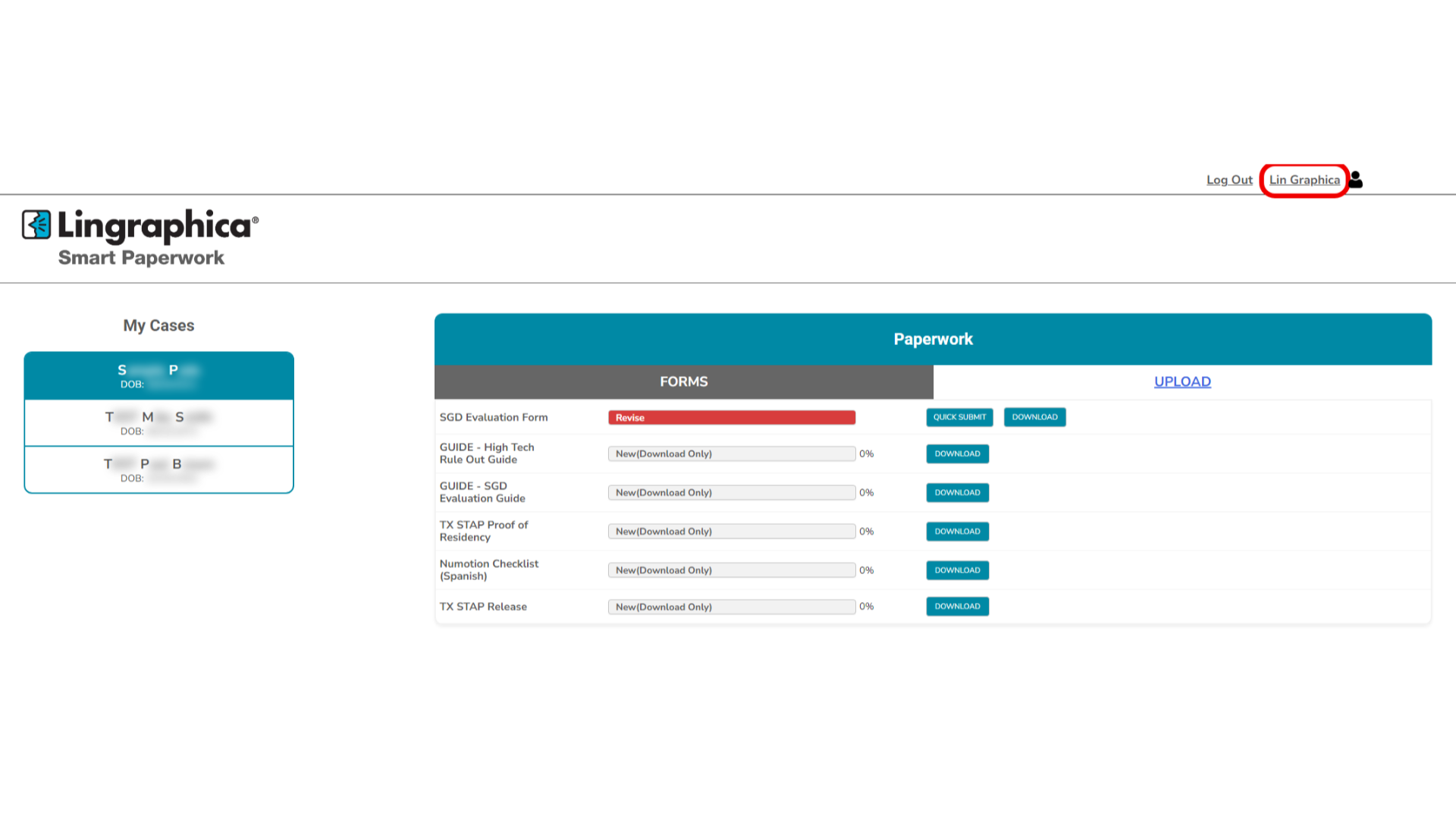
SNAPSHOT is a validated MVP that runs from a local dark-themed GUI, uses a managed browser, reaches the expected authenticated portal view, selects the first available client when present, waits for the paperwork area to finish rendering, applies redaction and a red account-name highlight, and saves the finished PNG.
Addressing the Top 3 Pain Points
Account/access issues need clear proof.
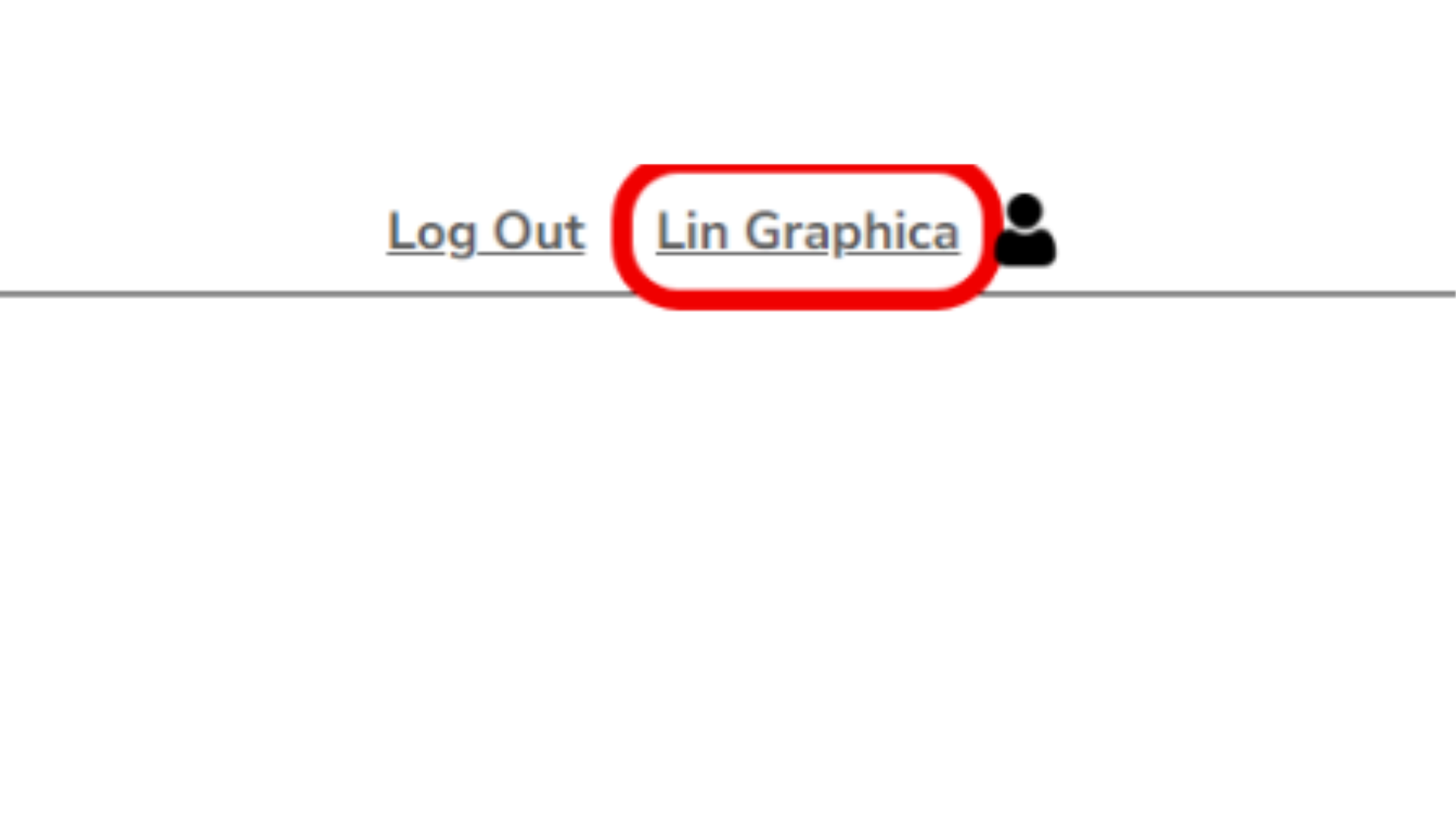
SNAPSHOT captures the authenticated portal state with the top header visible. The account name is highlighted with a red box so the screenshot immediately answers, "Which account did this login reach?" proving that the new account credentials work
Screenshots can accidentally expose patient/client information.
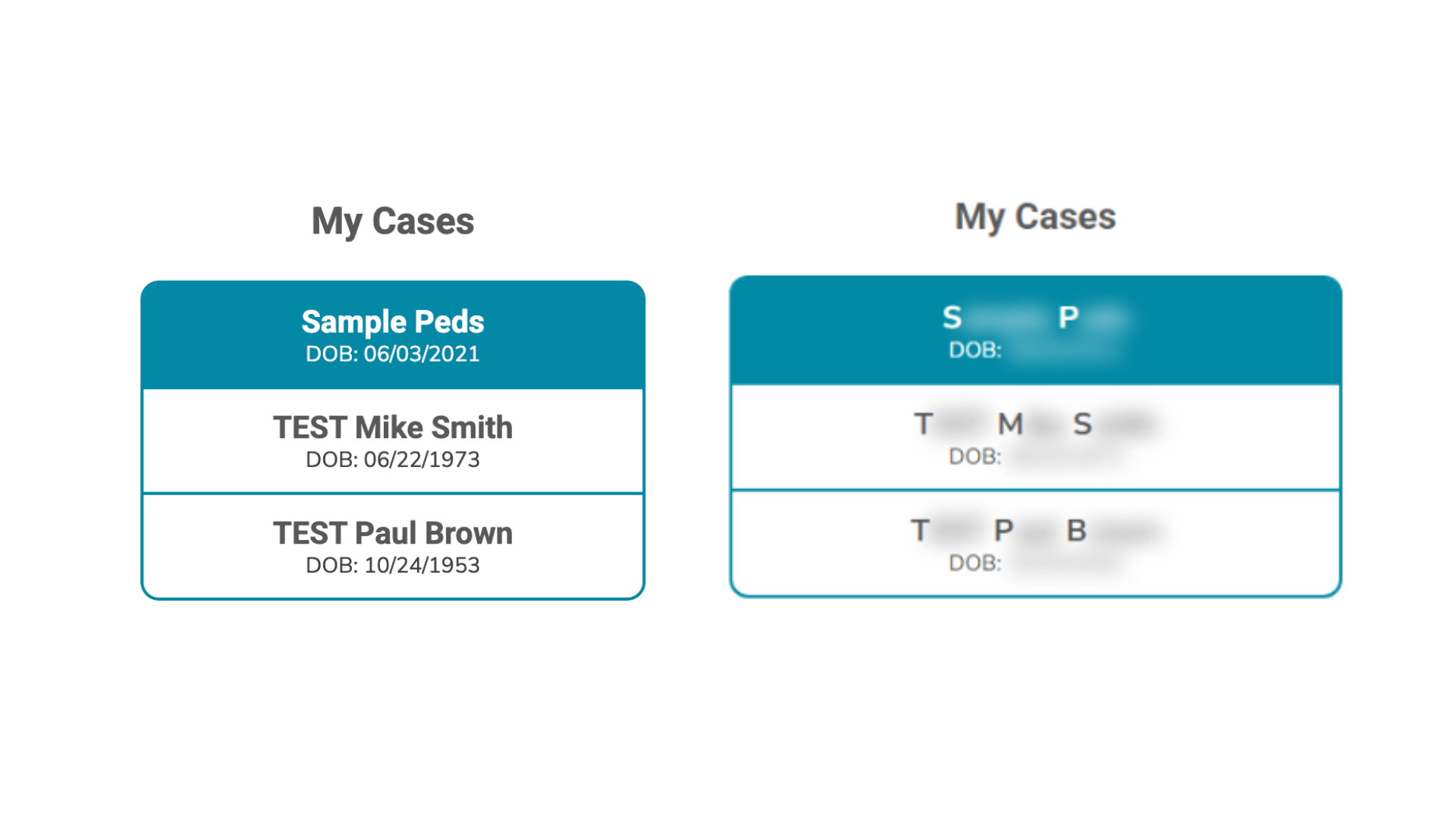
The app redacts the client list automatically. For each visible client, the first initial of every name remains visible and the rest is blurred or. DOB: remains visible, while the actual date is fully redacted. If an account has zero clients, SNAPSHOT still creates a valid account-highlight screenshot.
Manual steps are slow, inconsistent, and hard to record safely.
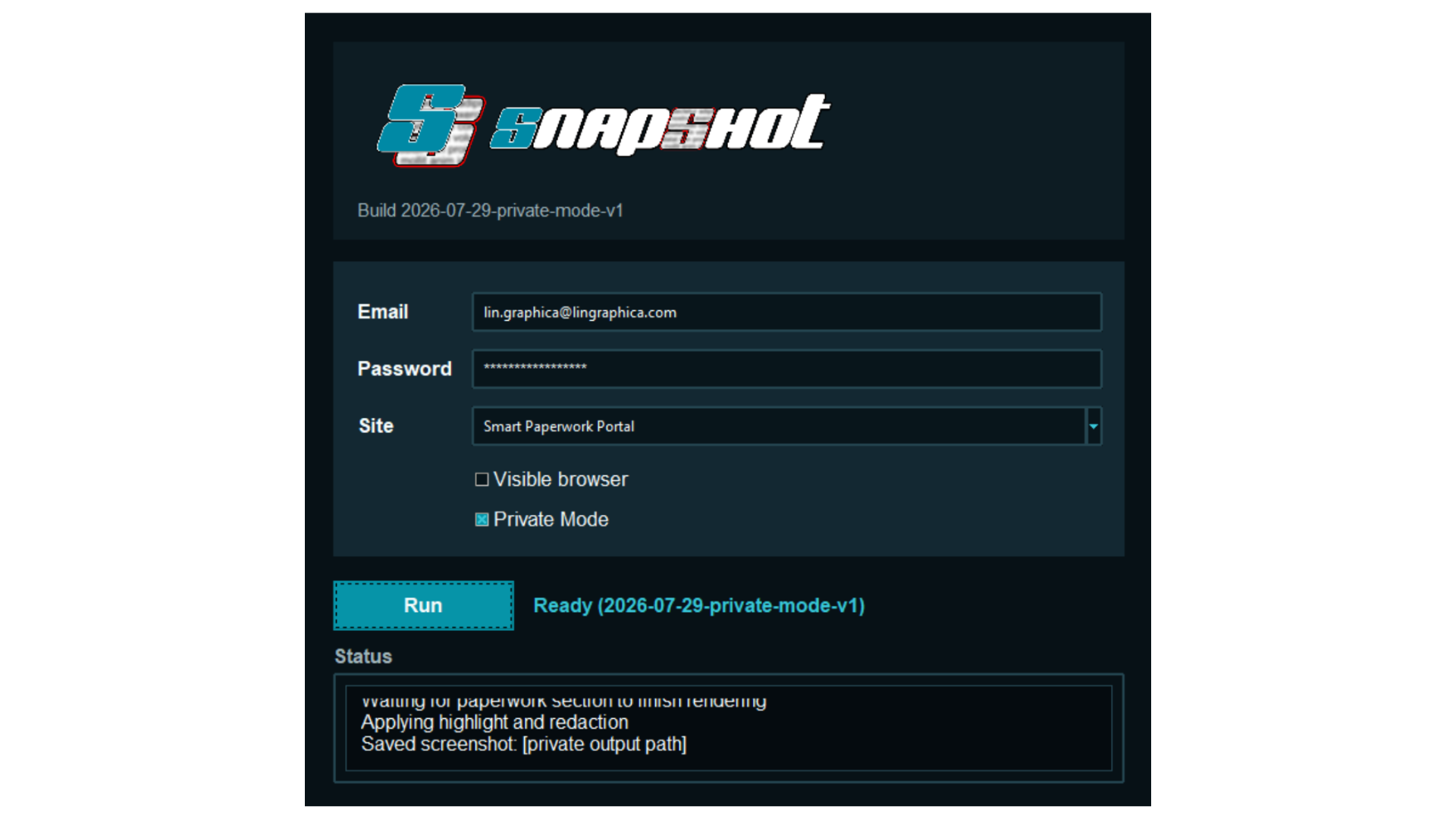
The MVP already proved visible-browser and hidden-browser runs. The target screenshot framing is locked and Private Mode keeps the visible app status log clean for demos, troubleshooting handoffs, and screen recordings.
Project by the Numbers
- Validated site profiles: 1 current portal profile, with modular profile support for future sites
- Required user inputs: 2 (email and password)
- User-visible browser modes: 2 (visible testing and hidden-browser generation)
- Status-log privacy modes: 4 2 (Private Mode on for recordings, off for troubleshooting)
- One-click launchers: 2 (macOS and Windows)
- Brand assets: 6 logo/wordmark assets across SVG, PNG, and editable source files
- Expected run window: 5-15 seconds
- Output type: PNG success and diagnostic screenshots
- Current MVP build: 2026-07-29-private-mode-v1
Top 8 MVP Features
features below are the ones that most reduce avoidable errors, incomplete evaluations, data loss, and failed handoffs when compared with filling out the non-fillable PDF
Feature #1 - Email/password-only workflow
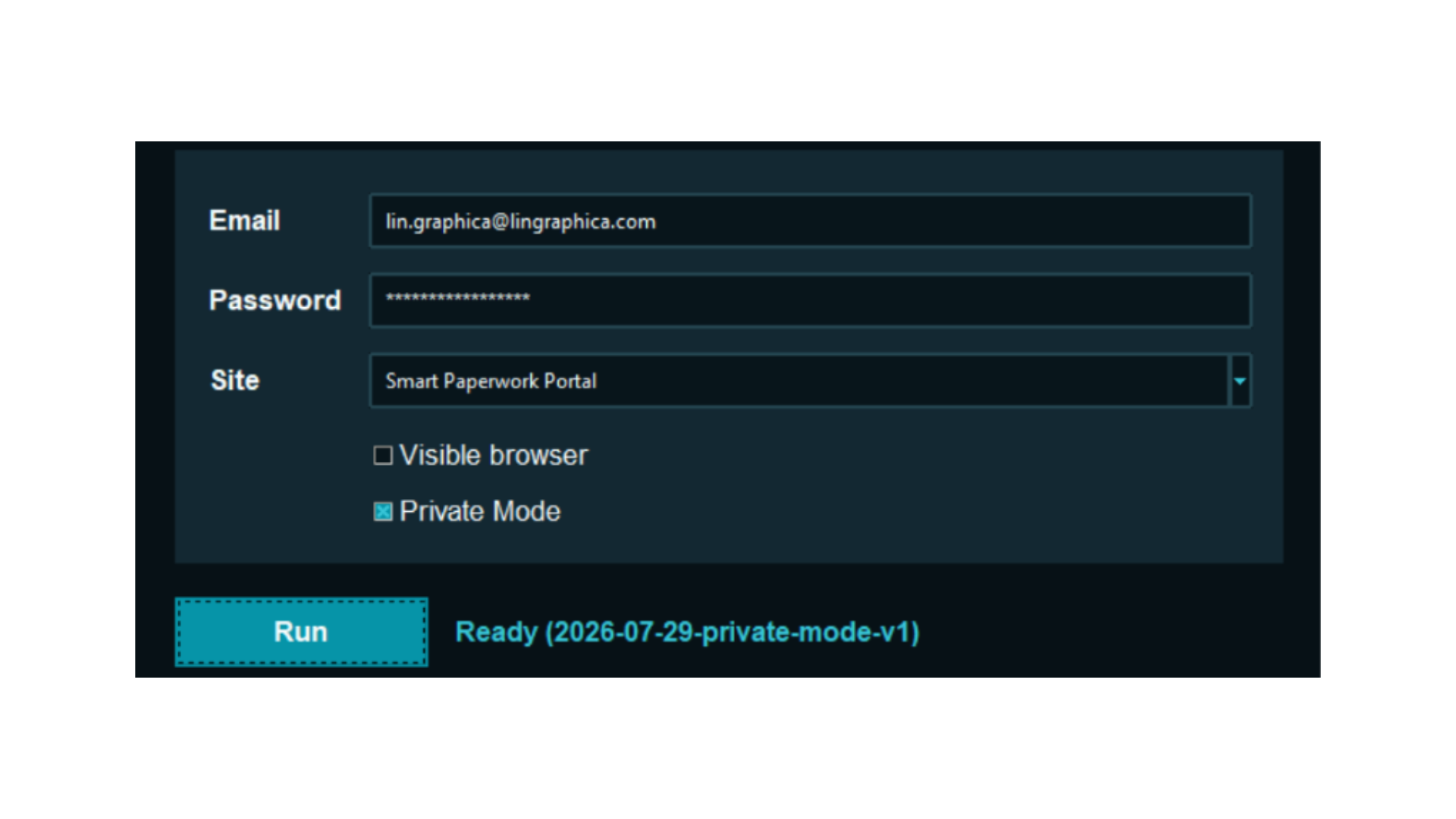
The core operator workflow is intentionally small: enter email, enter password, choose the portal profile, and press Run. No manual navigation, manual screenshot capture, or manual image editing should be required.
Feature #2 - Dark branded GUI with logo assets
The MVP GUI uses a high-contrast dark theme designed around my custom designed SNAPSHOT logo and wordmark. That makes the app feel more finished and gives demos and screen recordings a clearer visual identity.
Feature #3 - Private Mode for screen recordings
Private Mode defaults on and obfuscates sensitive URLs, emails, local paths, screenshot filenames, and debug filenames in the visible status log. It can be unchecked when raw troubleshooting details are needed.
Feature #4 - Cross-platform testing launchers
The project includes one-click launchers for macOS and Windows so testing does not depend on remembering terminal commands. The polished packaging work can build from this baseline later.
Feature #5 - Modular site-profile model
The current implementation validates one profile, but the structure is intentionally modular. Future sites can define their own login flow, readiness checks, redaction rules, viewport, and output naming without turning the app into a one-off script.
Feature #6 - Red account-name highlight
The logged-in account name is highlighted with a red rounded rectangle. This makes the screenshot readable as account-support evidence at a glance.
Feature #7 - Patient/client redaction rules
Every visible valid client is redacted. The first initial of each name remains visible, and the rest of the name is blurred or covered, the DOB: label stays visible, and the date itself is fully redacted.
Feature #8 - Deterministic export and diagnostic screenshots
Successful screenshots and error screenshots save as PNG files in the app-managed Downloads folder. The filename pattern is predictable, collision-safe, and includes ERRORplus an error reason when the run does not reach the expected state.
SmartPaperworkPortal_DemoAccount_MM-DD-YYYY_h.mm.ssam.png
SmartPaperworkPortal_DemoAccount_ERROR_InvalidCredentials_MM-DD-YYYY_h.mm.ssam.png
Technical Architecture
Core Stack
- Python 3.11 application
- Tkinter GUI for the current MVP desktop experience
- Playwright browser automation with a managed Chromium runtime
- Site-profile registry for portal-specific behavior
- DOM/CSS-assisted markup and redaction before capture
- PNG export helpers with collision-safe naming
- SVG and PNG logo assets for the GUI brand system
- macOS and Windows launchers for one-click testing
Workflow Model
- Launch the selected site profile from the local GUI.
- Submit the operator-provided email and password through the browser session.
- Detect immediate credential failures and save a diagnostic screenshot.
- Wait for the expected authenticated page state.
- Select the first available client when clients exist.
- Wait for the paperwork area to finish rendering.
- Apply account highlight and client redaction rules.
- Export the final PNG to the app-managed Downloads folder.
Privacy Model
- Credentials are runtime-only inputs and are not presented in the status log.
- Private Mode obfuscates sensitive operational details in the visible GUI log for screen recordings.
- Client redaction happens before the final screenshot is saved.
- Public demos should use only fake account names, fake clients, fake dates, and sanitized URLs.
- Implementation details that are likely to change should stay in the product document or source code, not the public-facing blog story.
Outcome
SNAPSHOT has moved from product plan to validated MVP. It can produce the intended patient-safe screenshot in both visible-browser testing mode and hidden-browser mode, and it now has enough visual polish to show the workflow clearly in screenshots and video.
The larger idea is reusable: one product document tracks the full plan and roadmap, while the PDH post captures the public-facing story of what has been completed, why it matters, the top features, and the stack that made it possible.