No Portal? No Problem: Building a PHI-Safe Offline SGD Evaluation + Submission Workflow using Artificial Intelligence
 Paris D Hunter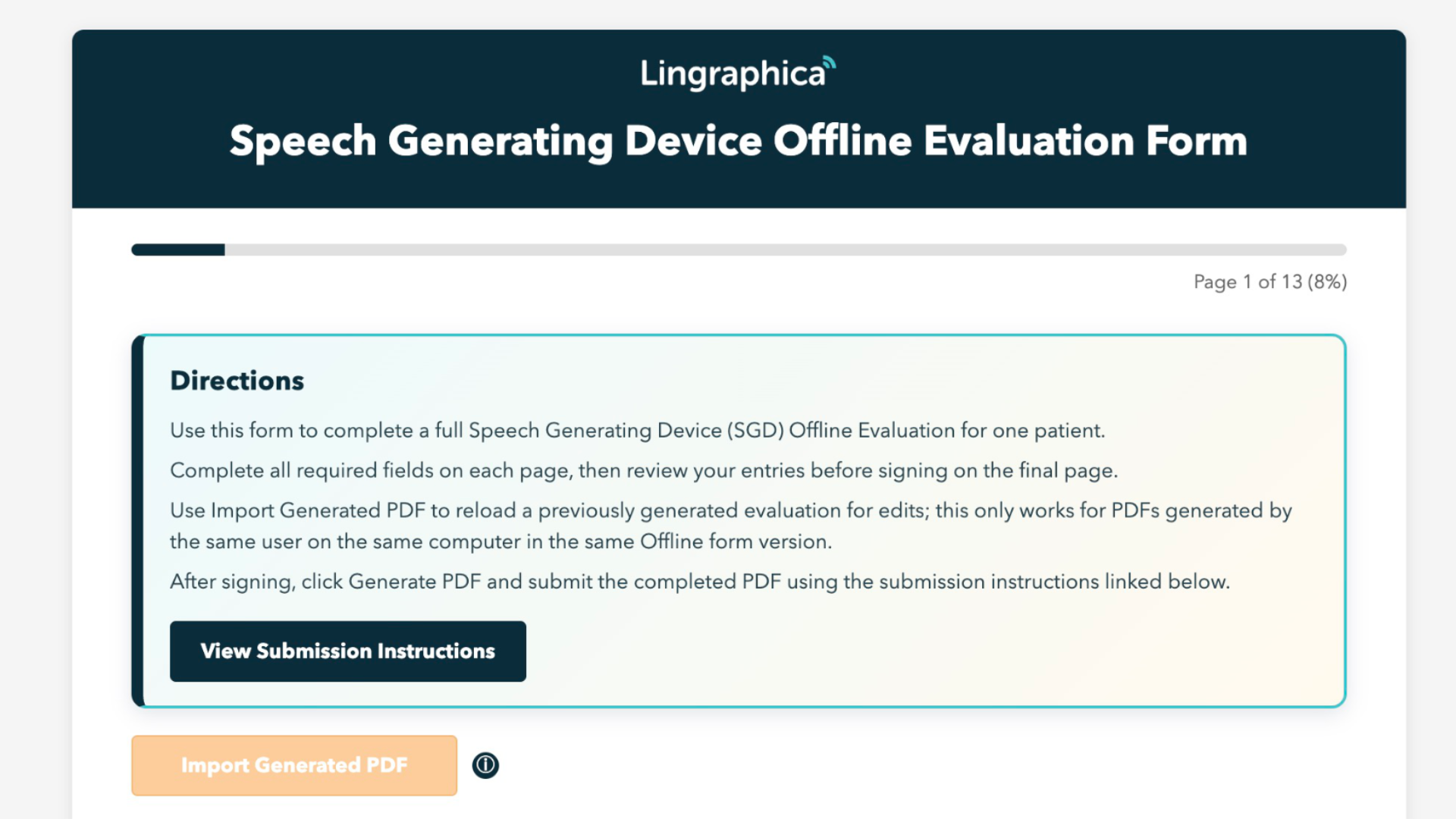
Table of Contents
- Brief/Challenge
- Business Context
- Solution
- Addressing the Top 3 Pain Points
- Project by the Numbers
- Top 10 Features
- Feature #1 - One-to-one parity
- Feature #2 - User-readable Validation Errors
- Feature #3 - Patient Context to Header & Footer
- Feature #4 - Diagnostic Testing options
- Feature #5 - Signature Box
- Feature #6 - Import Generated PDF
- Feature #7 - Type 1 Exclusions and other niche restrictions
- Feature #8 - Generated PDF Filename and Layout
- Feature #9 - High Visibility Directions
- Feature #10 - Embedded Submission Guide with Videos
- Technical Architecture
- Outcome
Project ASSESS is my 1:1 end-to-end offline solution for the Speech Generating Device (SGD) Evaluation encapsulated into a single html file that keeps the user experience at the forefront.
The project began as an user-experience focused alternative to a non-fillable PDF as solution for when and evolved into a full workflow that can be completed, validated, signed, revised, and exported to PDF without backend dependency on the end user's device.
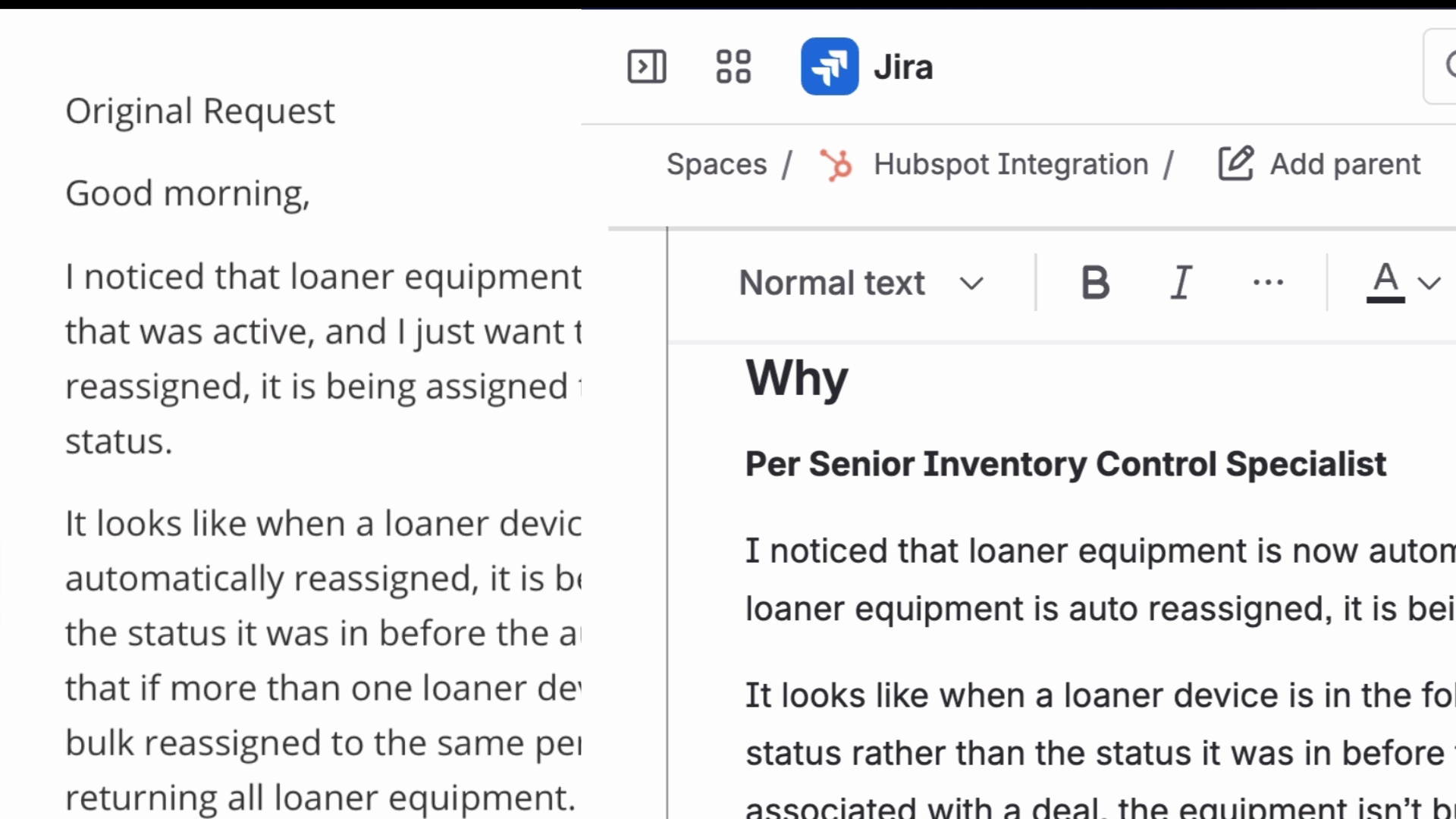
As a Product Owner with aspirations to become a Product Manager, my core intent was to create a practical stopgap between today's Smart Paperwork Portal and the future Portal experience, specifically for moments when portal/account issues delay paperwork and hold up deals, aggravating overworked Speech Language Pathologists (SLPs).
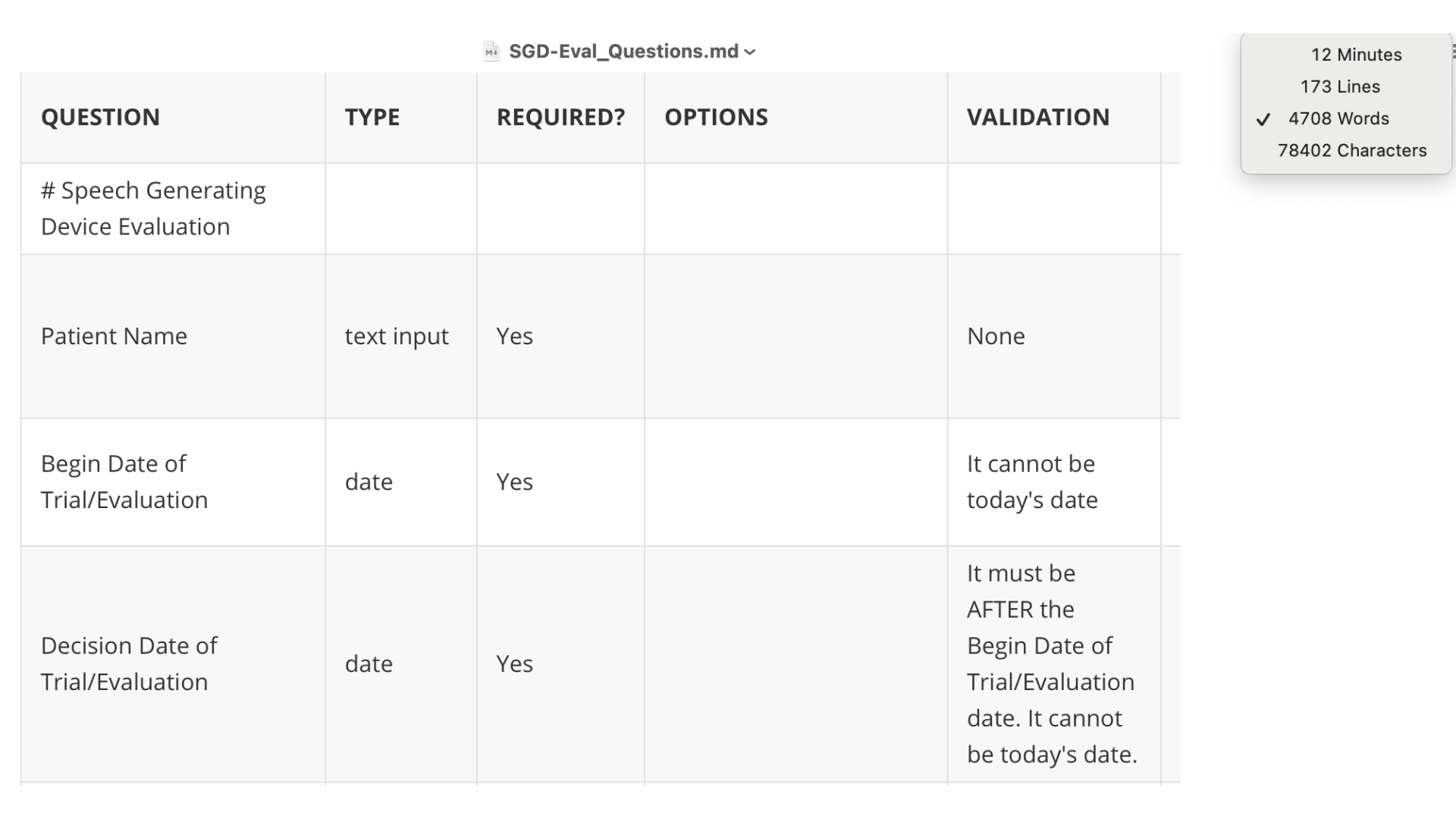
It all started with Codex (OpenAI) as my willing engineer and my product documentation explaining everything I wanted and needed. The initial document for just the questions were over 4,700 words (78400+ characters) in length and would have taken over 12 minutes to read. In all culminated into what you see before you.
Business Context
Over the prior year (March 2025 - March 2026), thousands of clinical deals were processed through the Paperwork stage. Every clinical deal requires the Speech Generating Device Evaluation to be completed.
During that same period, I handled 602 support tickets across 247 business days. Roughly 40% (242) of those tickets were tied to Smart Paperwork Portal/Account issues and/or SGD evaluation friction. Thats almost 1 ticket per business day.
As the Product Owner/Business Systems Analyst at Lingraphica, I decided to document and resolve the most common operational pain points based on my findings:
- Long and cumbersome evaluation flow for SLPs
- Account/Access issues in the Smart Paperwork Portal
- Data loss frustration when users perceive entries were lost
These factors framed ASSESS as a continuity workflow to keep evaluations moving instead of waiting on longer support cycles.
While it is true that the number of reported Smart Paperwork Portal issues is only a small fraction compared to the number of successful completions, I looked at the entire user journey and user experience to plan for a solution that doesn't require any development effort and can be easily updated in the future.
Solution
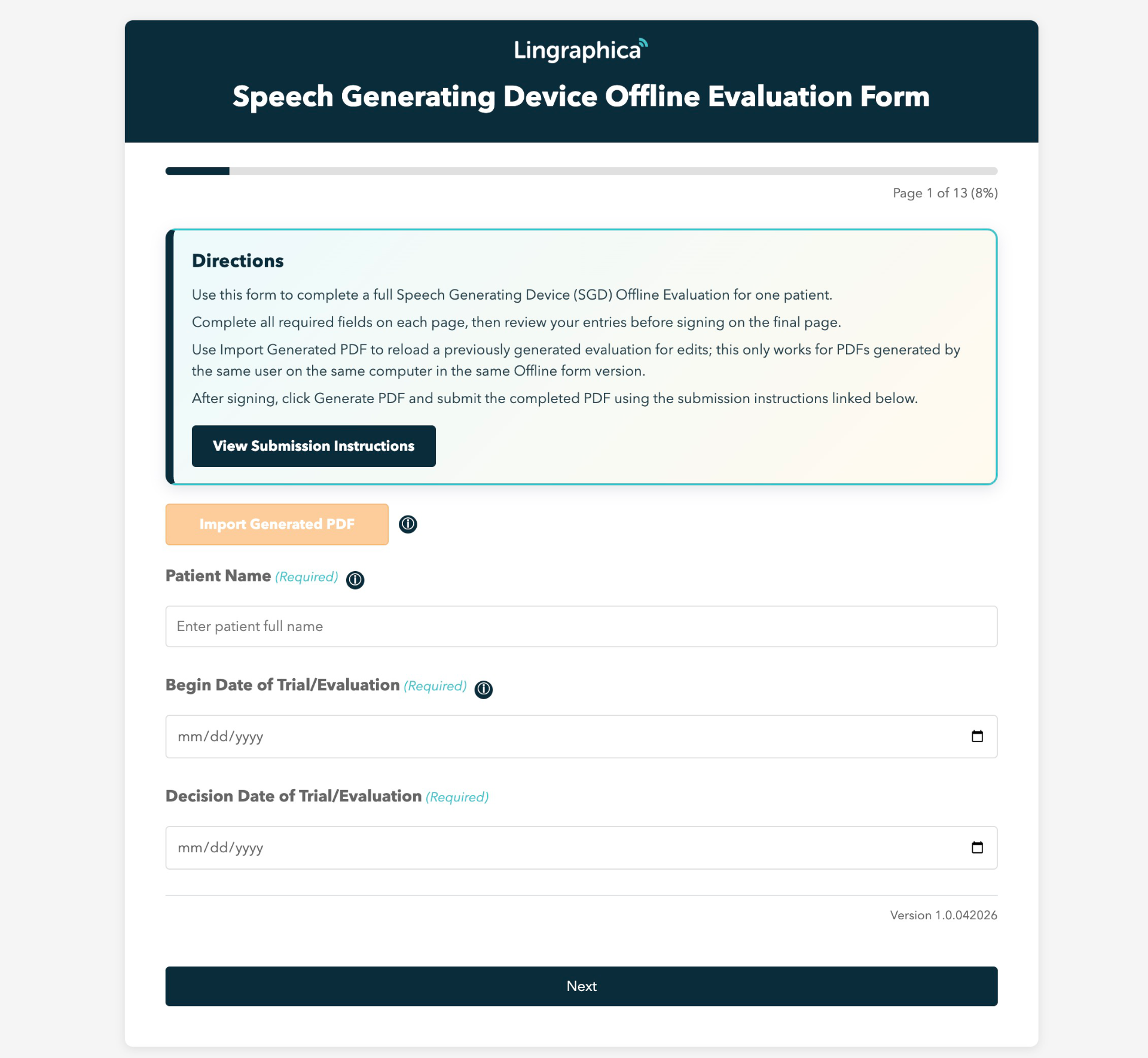
Delivered a single-file offline application using artificial intelligence (OpenAI Codex) that supports the following
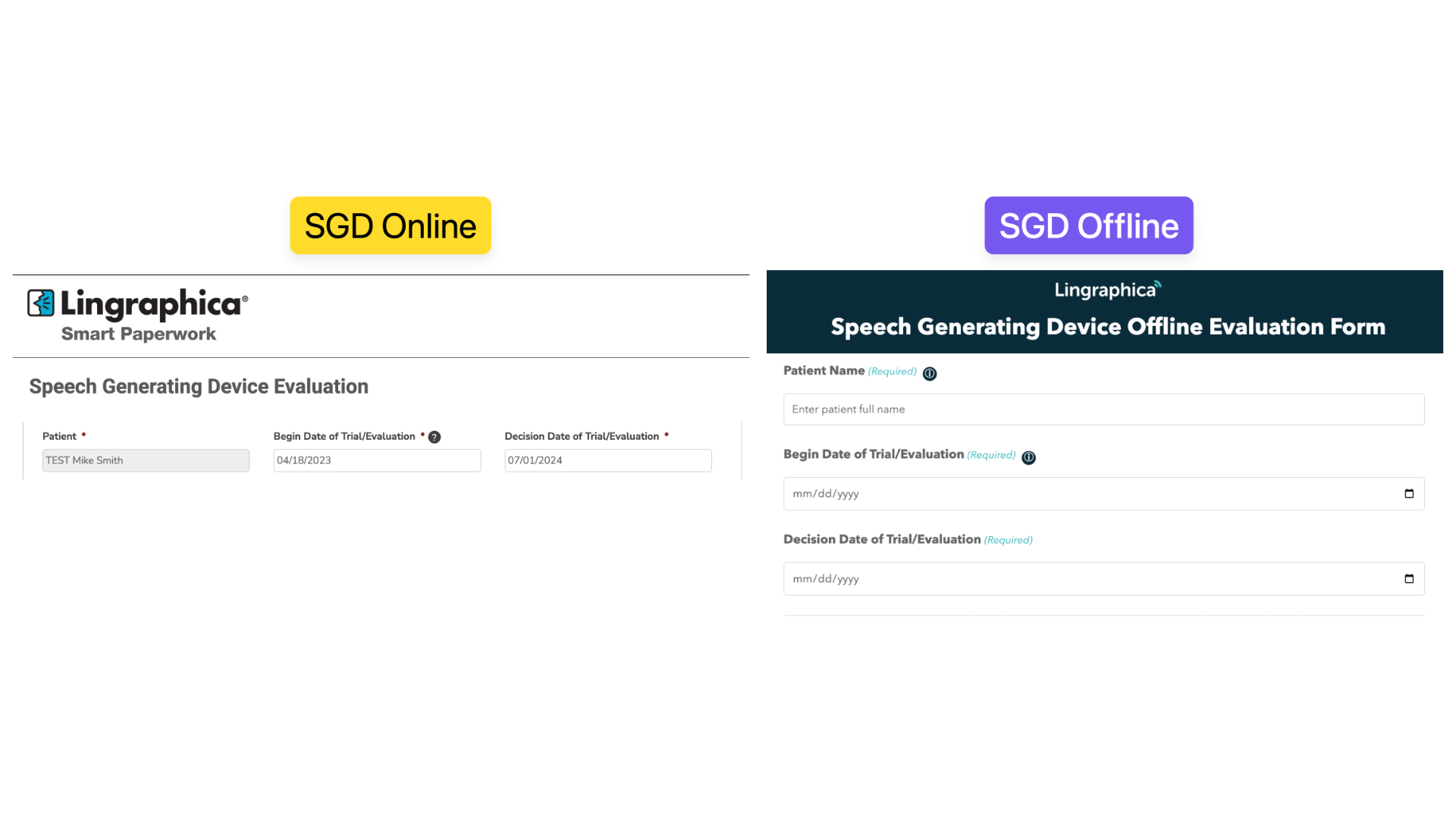
- 13-page guided evaluation flow that mirrors 1:1 the online version (with added features)
- Embedded a submission guide directly inside the same offline file
- Strict required-field and conditional logic
- Signature capture with timestamp and re-sign controls
- High-fidelity local PDF generation tuned to match the Smart Paperwork Portal output
- Revision workflow via Import Generated PDF
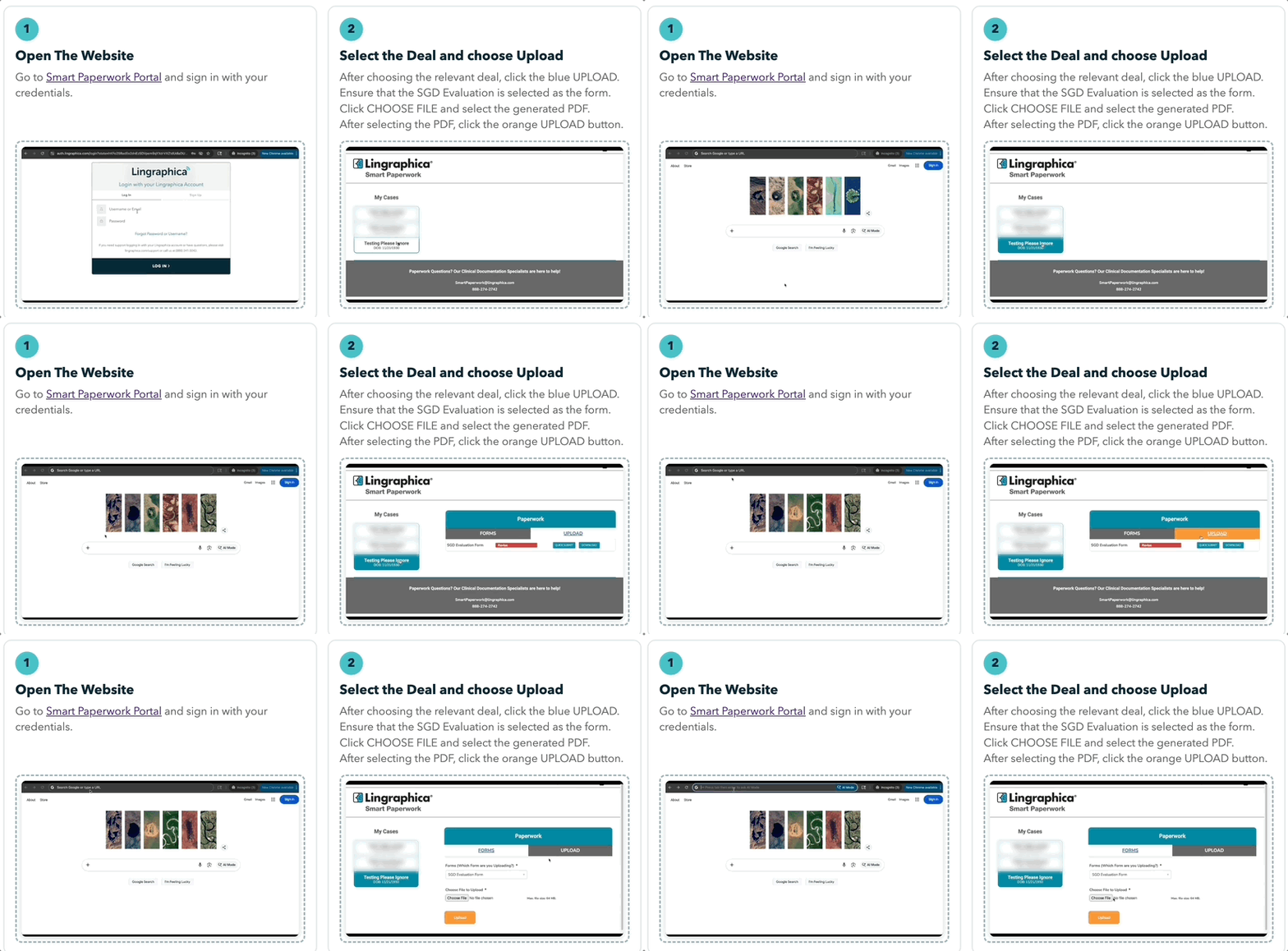
Operationally, the solution was designed so users can complete the Evaluation locally in-browser with no active network dependency, then submit the PHI safely via approved channels (Smart Paperwork Portal upload or encrypted email workflow), instead of sending a normal email with the PDF attached.
Addressing the Top 3 Pain Points
Long and cumbersome evaluation flow for SLPs
While I cannot reduce the length of the form, I did add steps to reduce the friction that comes with filling out a multi-page document based on my experience of dealing with the support issues.
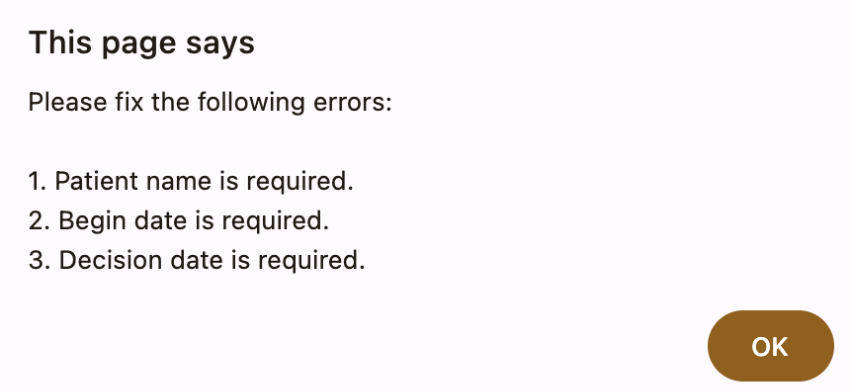
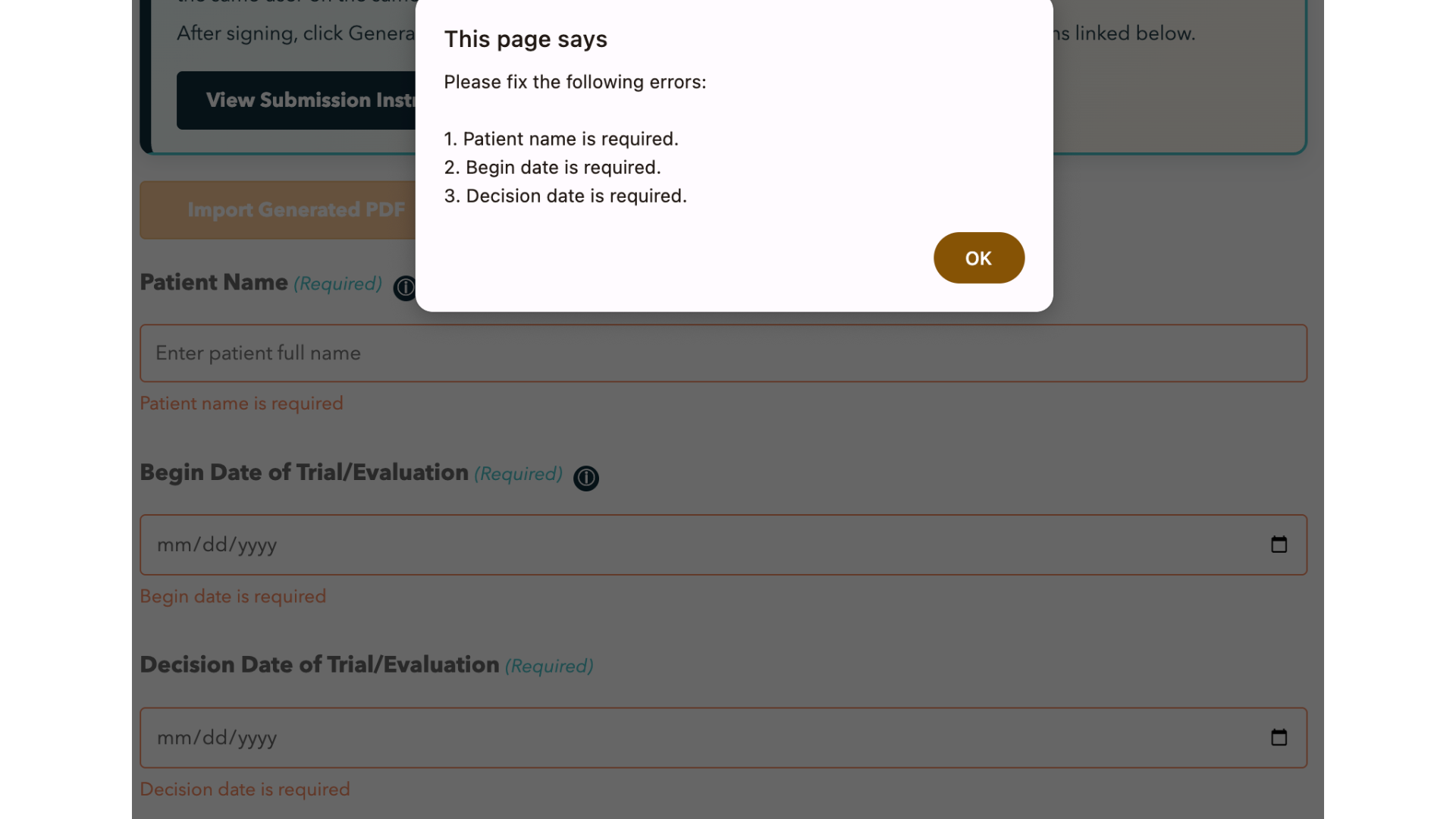
For example, I added very detailed validation rules that provides the SLP with exact instructions of missing forcing them to accept the message before continuing along with various tooltips and instructions.
Account/Access issues in the Smart Paperwork Portal
Data loss frustration when users perceive entries were lost
Project by the Numbers
- Wizard pages: 13
- Additional internal guide view: 1
- Embedded media assets in v4: 4 (
3MP4 +1GIF) - Tooltip icons in UI: 31
- Total Questions: 152
- Total lines of code: 7,426
- Total Number of Features: 180
- Final size: 3,478,884 bytes (~3.48 MB) - including embedded media assets
Top 10 Features
features below are the ones that most reduce avoidable errors, incomplete evaluations, data loss, and failed handoffs when compared with filling out the non-fillable PDF
Feature #1 - One-to-one parity
Feature #2 - User-readable Validation Errors
Added consistent page-level validation and field-specific error summaries in validation popups so users know exactly what to fix when encountering submission errors.
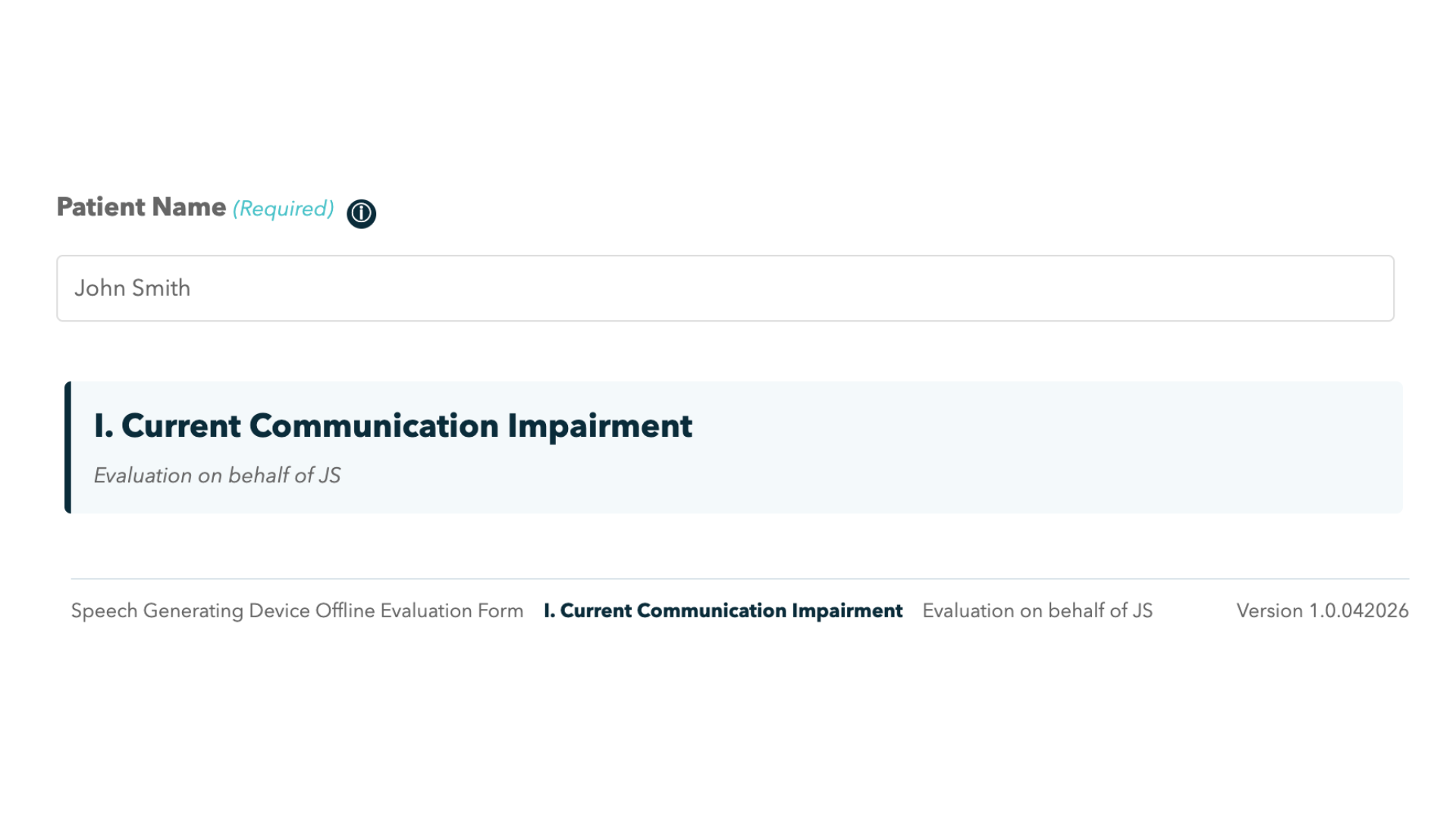
Feature #3 - Patient Context to Header & Footer
Added Patient context continuity as initials to the header and footer to reduce confusion when filling out a form (or multiple forms at the same time)
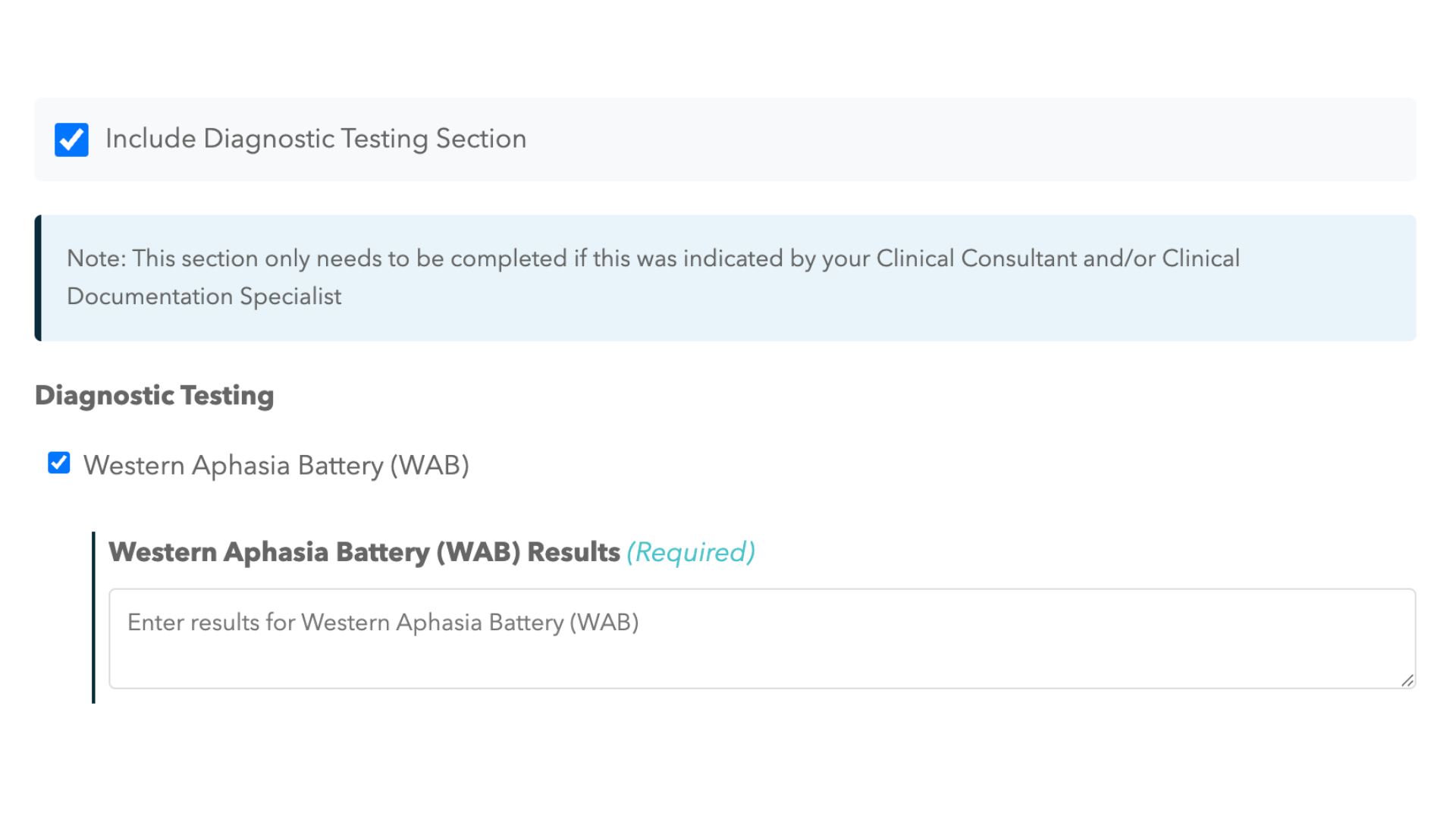
Feature #4 - Diagnostic Testing options
Added per-test result for all 24 Diagnostic Tests that ensures that adding a second test does not erase an existing test result and a result is erased only if that specific test is unchecked.
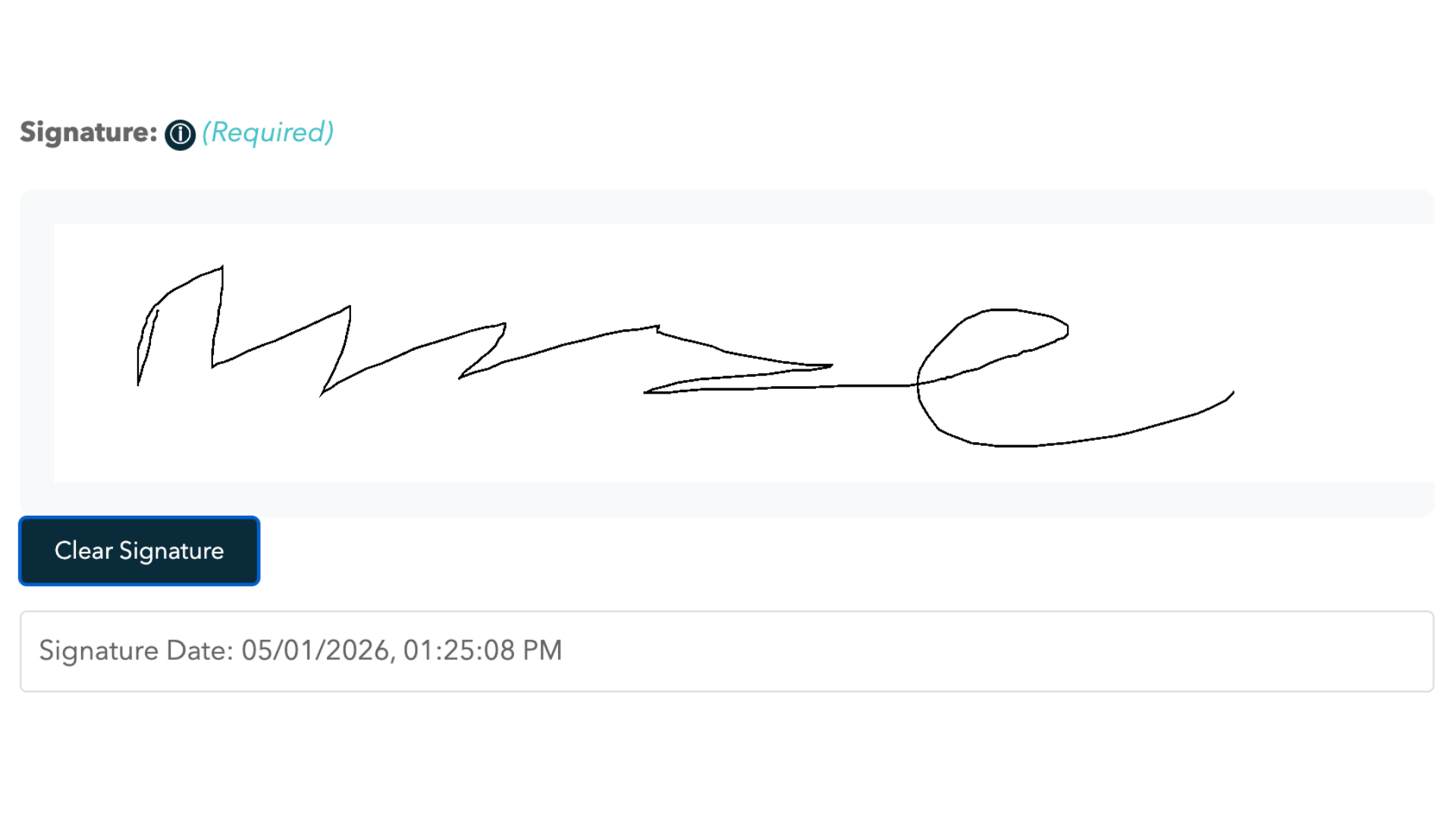
Feature #5 - Signature Box
Implemented an interactive signature canvas input using mouse-based drawing that also includes the the exact date and time of signature. Also added logic that a signature is required before allowing PDF generation and any navigation changes (i.e. if the document signed and the SLP moves back a page, they would need to resign). Also the signature is captured as an image that shows up in the generated PDF.
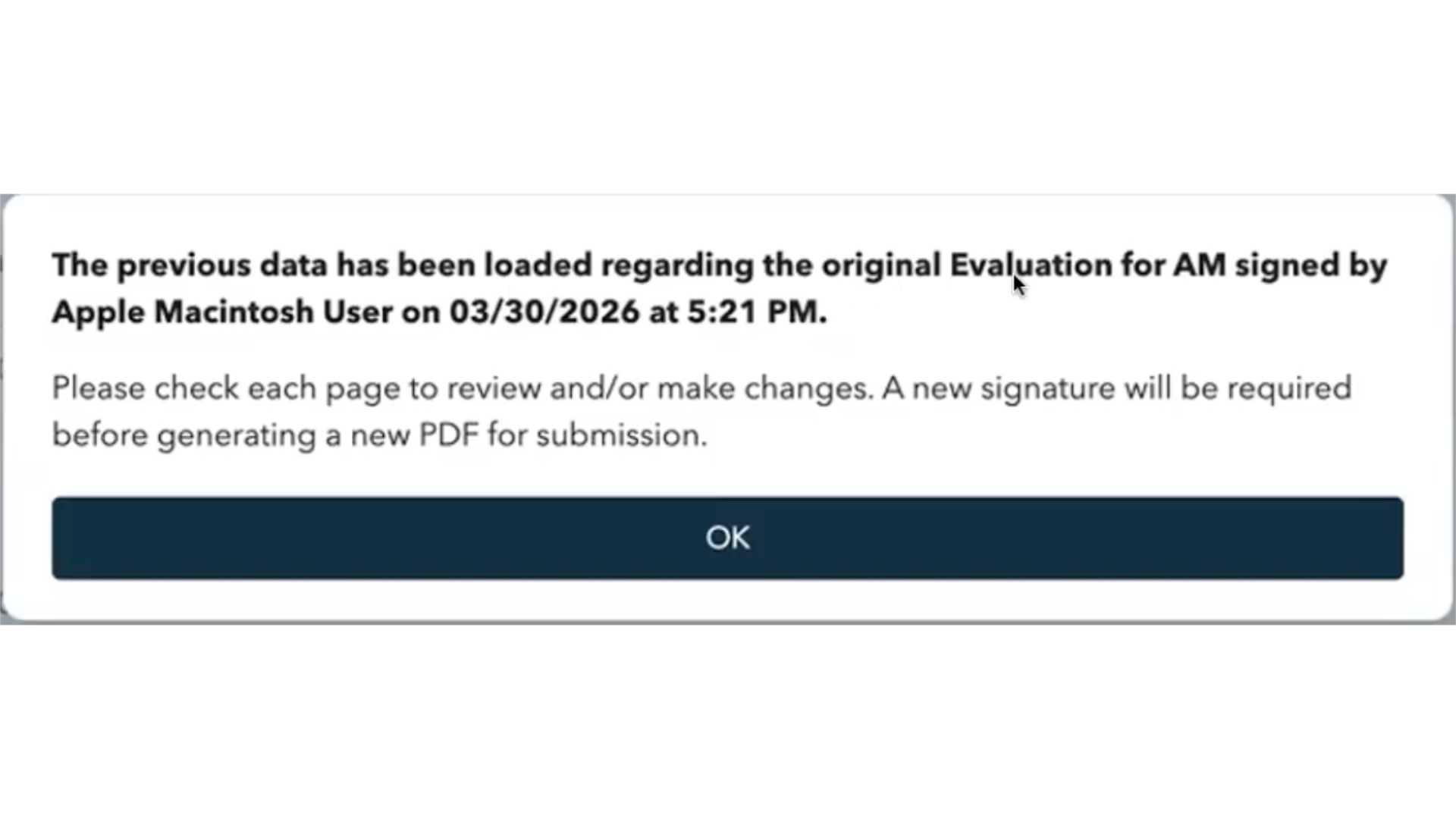
Feature #6 - Import Generated PDF
Added an Import Generated PDF functionality where an SLP on the same computer, same Chrome browser, and same version of the SGD Evaluation Offline can import generated SGD Eval PDF to make revisions to submit a new, updated Eval PDF without having to fill out everything every time.
Feature #7 - Type 1 Exclusions and other niche restrictions
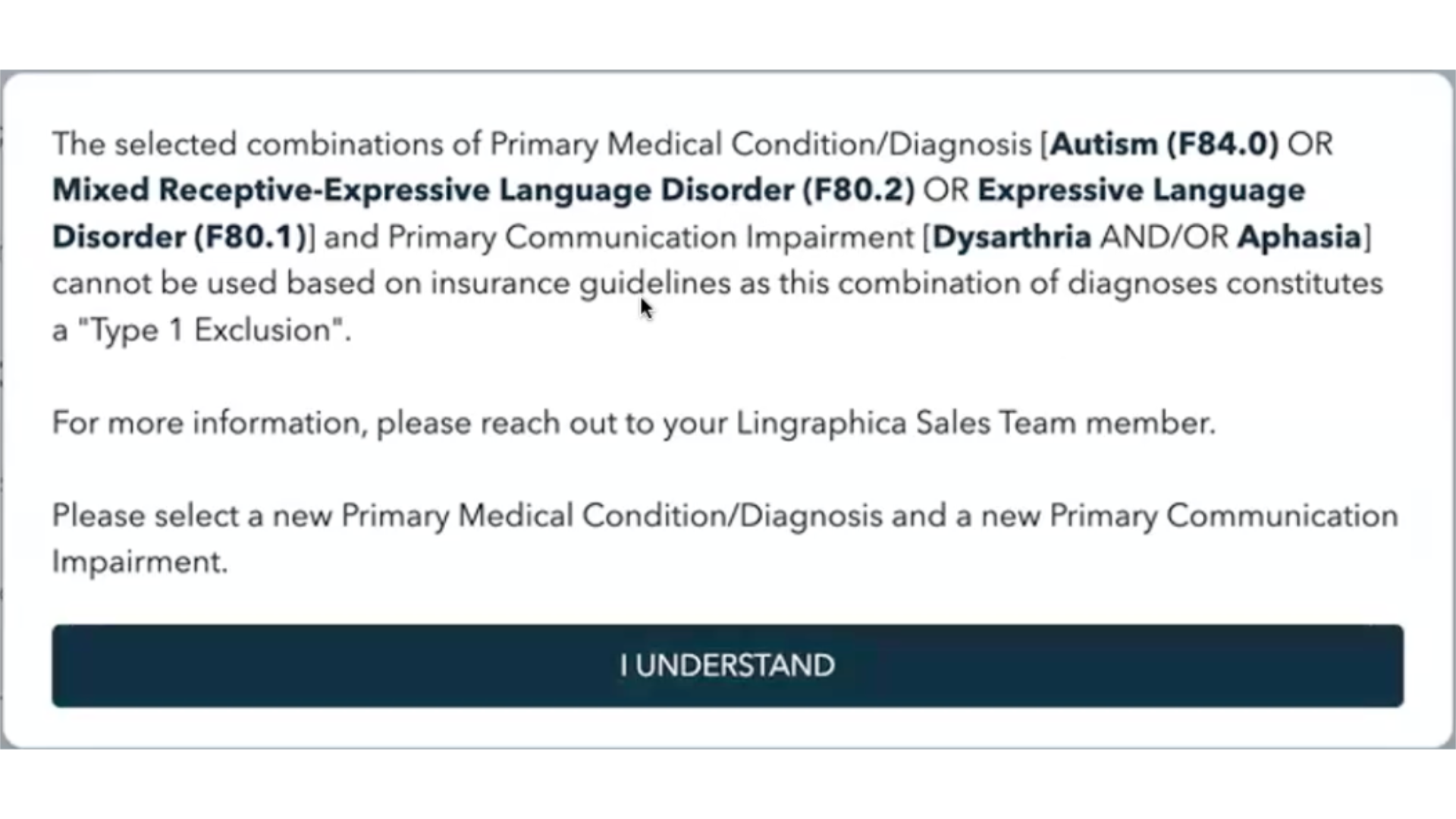
There are some features that are present in this Speech Generating Device Offline Evaluation but not in the online version of the Smart Paperwork Portal due to development timelines and priorities: such as Type 1 exclusion logic for disallowed diagnosis/impairment combinations and other very specific diagnosis logic which costs time for both the SLP and a Lingraphica employee
Feature #8 - Generated PDF Filename and Layout
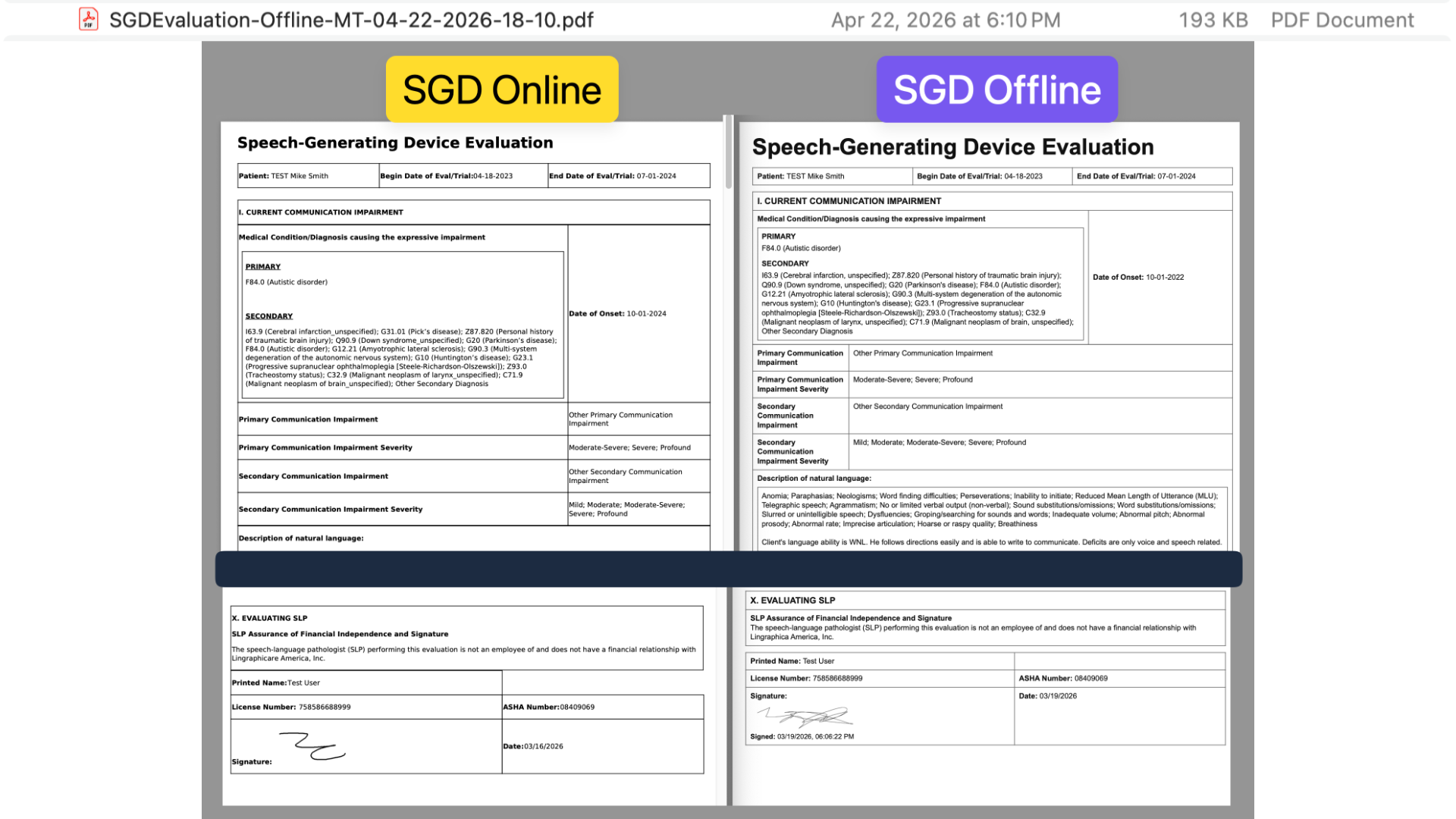
The generated PDF file automatically list the patient's initials, the date and time as the file name, not to mention matching the layout of the original PDF document just like the original version of the Evaluation.
Feature #9 - High Visibility Directions
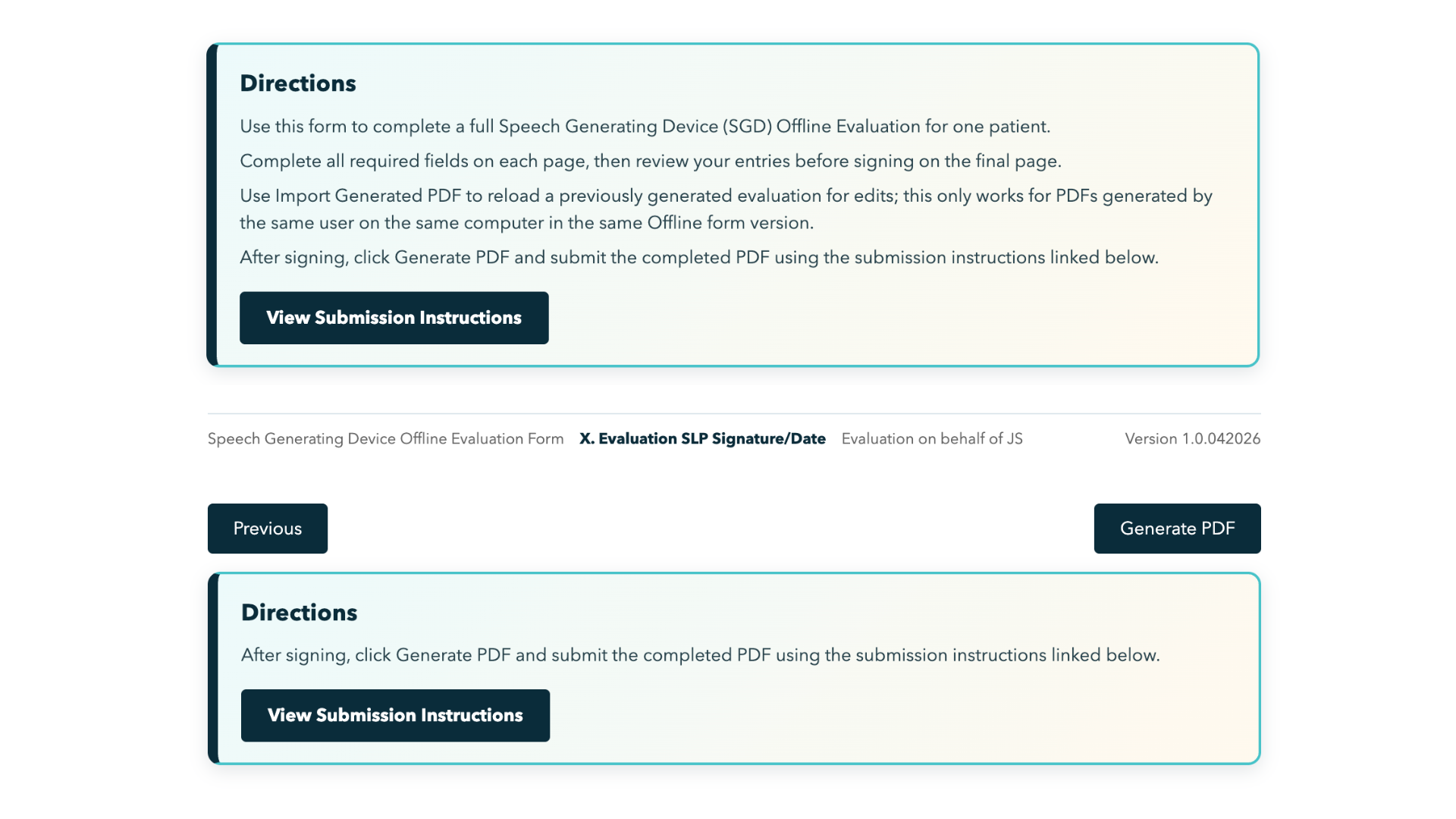
Added a high-visibility Directions block at the top of page 1 and added a submission-focused Directions block on the final page (after Generate PDF) so users can access submission instructions at handoff time.
Feature #10 - Embedded Submission Guide with Videos
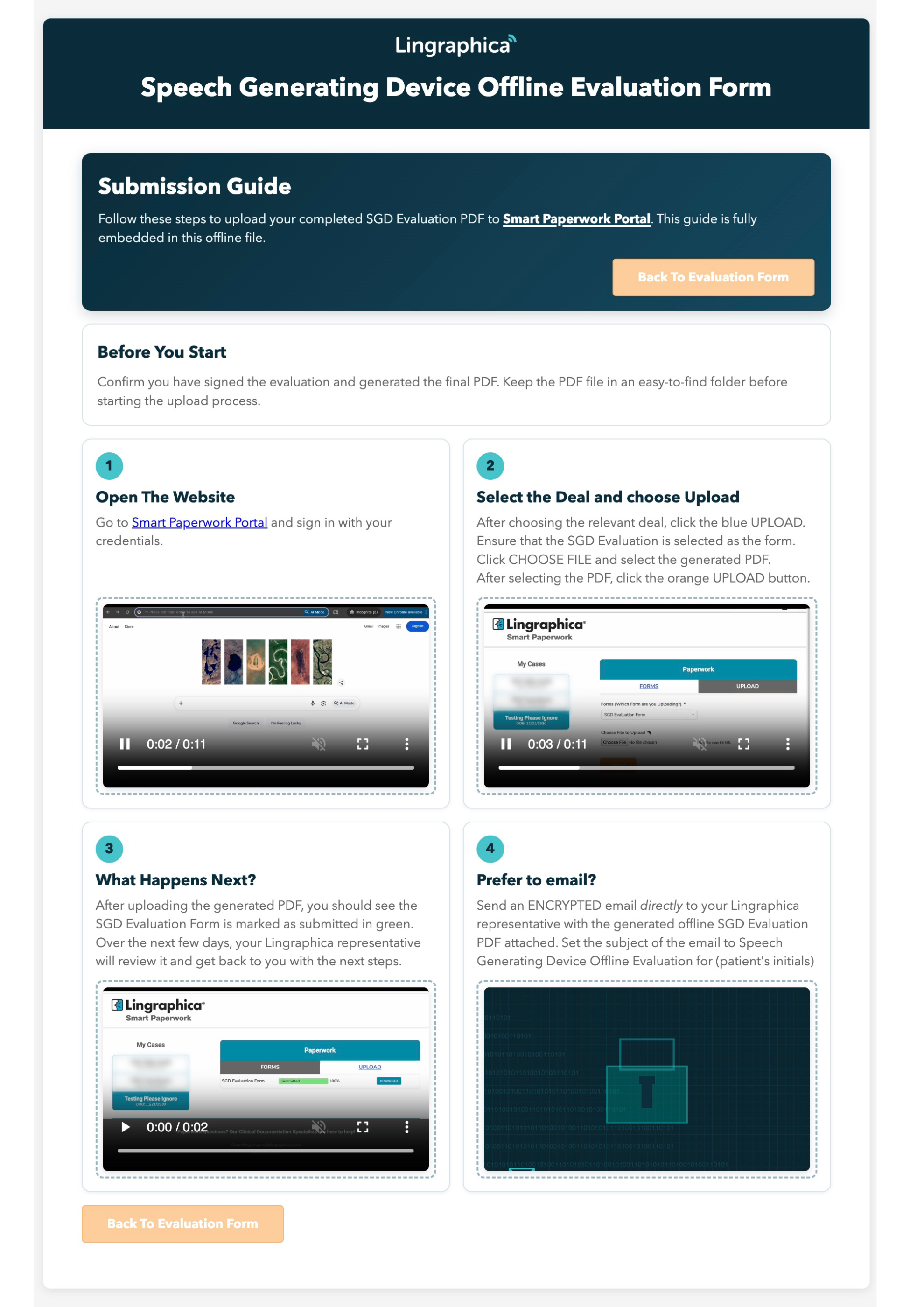
Created a submission guide with embedded tutorial videos directly into the Offline Evaluation file so that the SLPs has easy to follow instructions right when when they need it. The media is set to automatically play and repeat and the SLP has the option make the videos full-screen as needed.
Technical Architecture
Core Stack
- Single-file HTML/CSS/JavaScript application (offline-first)
- Canvas-based signature capture
- Browser print pipeline for LETTER PDF generation
- Embedded media assets (base64) for self-contained guide delivery in v4
Submission Guide Integration
- Added a fully embedded internal submission guide page
- Wired guide navigation so users can open/close guidance without leaving the offline app.
- Embedded Step 1-3 as an optimized inline no-audio MP4.
- Embedded Step 4 as a custom “digitized email” GIF.
Validation and State Model
- Per-page validation gates with standardized popup messaging
- Conditional dependency handling for required and
Otherpathways - Import state restoration for previously generated PDFs (excluding signature)
- Signature invalidation rules when user navigates back and edits before final generation
PDF Rendering Model
- Section-aware rendering for clinical readability
- Selection emphasis for checked options (checkbox/label visibility)
- Manual spacing and page-break tuning to align with reference PDF behavior
- Signature block includes signed date/time in PDF output
Outcome
This alternative now operates as a production-style offline documentation product with strong validation, compliance-aware guardrails, controlled revision behavior, and submission guidance embedded in the same file clinicians already use to complete the evaluation. A non-fillable PDF might work for the government but it doesn't work for me. We can do better. Hell I can do better so I did. With the tools and resources in 2026, the option isn't if we have the time or the resources but rather if we have a vision and the will to make something happen.